
What Is Shopify SEO?
Shopify SEO is the process of improving your Shopify store so search engines can crawl, understand and rank your products, collections and content.
It includes technical SEO, store structure, collection page optimization, product page optimization, keyword research, internal linking, image SEO, schema markup, blog content, page speed, user experience and conversion tracking.
The goal is not just to get more traffic. The goal is to attract the right shoppers — people who are searching for products, categories, comparisons, reviews and buying guides related to what your store sells.
For example, if you sell LED lighting products, Shopify SEO can help you rank for searches like “modern LED ceiling lights”, “outdoor wall lights”, “LED strip lights for bedroom”, “best pendant lights for kitchen” and “warm white LED bulbs”.
If you sell GPS trackers, Shopify SEO can help you rank for searches like “GPS tracker for car”, “vehicle tracking device”, “bike GPS tracker”, “portable GPS tracker” and “best GPS tracker for business vehicles”.
Shopify SEO helps connect your products with buyers before they click on a paid ad or visit a marketplace.
Why Shopify SEO Matters For eCommerce Stores
Shopify stores often rely heavily on paid ads, influencer campaigns, email marketing and repeat customers. Those channels are useful, but organic search can become a powerful long-term growth channel when the store is optimized properly.
Organic Traffic Can Reduce Dependence On Paid Ads
Paid ads can bring traffic quickly, but costs can rise over time. SEO helps build organic visibility that can continue supporting the store without paying for every click.
Shoppers Search Before They Buy
Many buyers search Google before deciding what product to buy, which brand to trust or which collection to explore.
- Product types
- Product features
- Best products
- Comparisons
- Reviews
- Size guides
- Material guides
- Use cases
- Buying advice
Collection Pages Can Capture High-Intent Searches
Collection pages often target category-level keywords, which can be valuable because shoppers are browsing a group of products.
- men’s leather wallets
- organic skincare products
- wooden dining tables
- LED garden lights
- portable GPS trackers
Product Pages Can Capture Specific Buyer Intent
Product pages can rank for product names, model numbers, features, colours, sizes, use cases and long-tail searches.
SEO Improves Store Quality
A good Shopify SEO process often improves more than rankings. It can also improve speed, navigation, trust signals, product information and user experience.
Shopify SEO vs General eCommerce SEO
Shopify SEO is a part of eCommerce SEO, but Shopify has its own platform-specific setup, limitations and opportunities.
| Area | General eCommerce SEO | Shopify SEO |
|---|---|---|
| Platform | Any eCommerce CMS | Shopify-specific setup |
| Technical control | Depends on CMS | Some areas are limited by Shopify |
| URL structure | Usually customizable | Shopify has fixed URL folders like /products/ and /collections/ |
| Duplicate URLs | Varies by platform | Common with product URLs appearing through collections |
| Apps/plugins | Platform dependent | Shopify apps can affect speed and scripts |
| Product schema | Depends on setup | Often theme/app dependent |
| Collection pages | Important | Very important for Shopify SEO |
| Speed issues | Varies | Often affected by theme, apps and scripts |
| Optimization focus | Technical, content, products, categories | Technical, collections, products, apps, schema, speed |
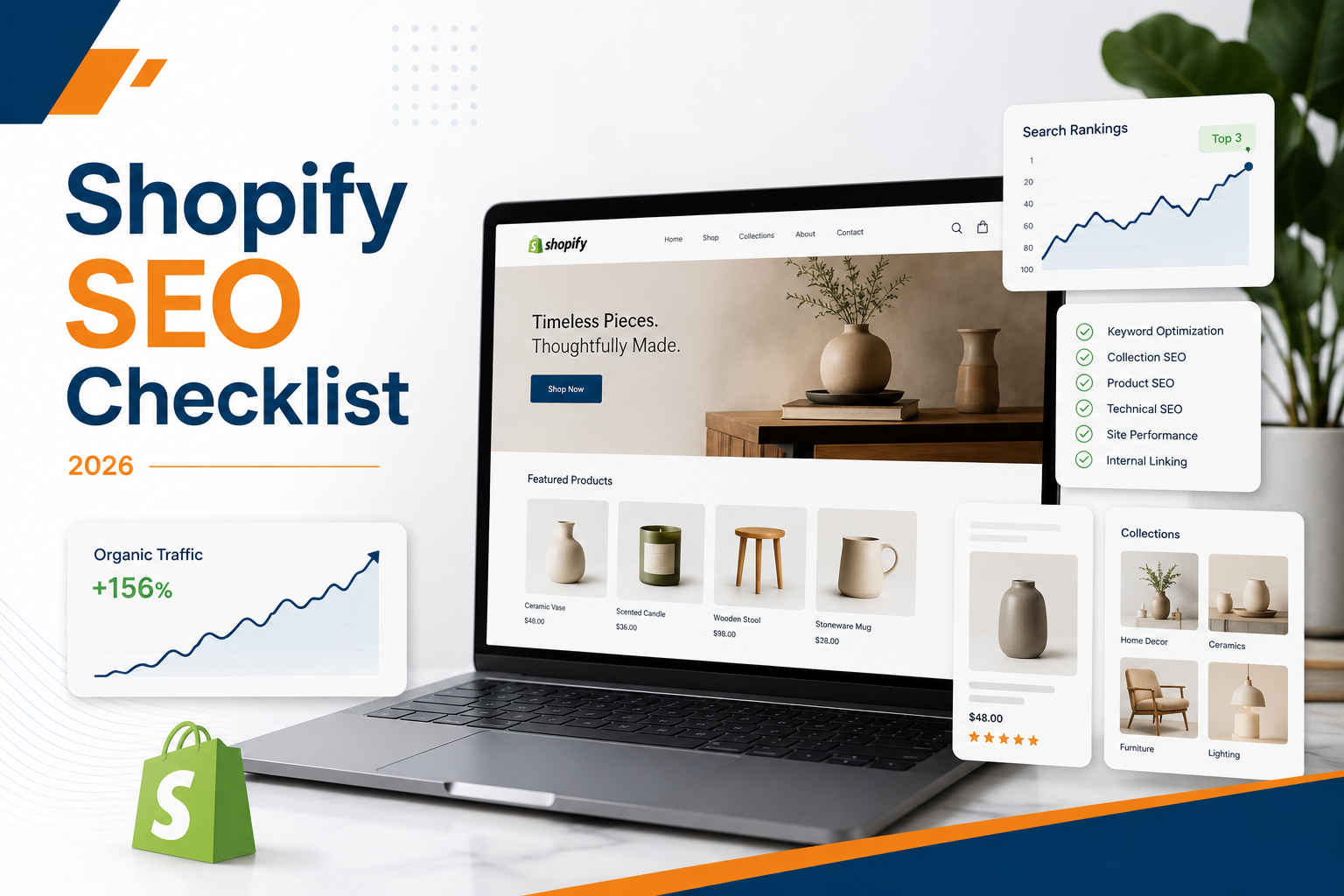
Shopify SEO Checklist Overview
A strong Shopify SEO strategy should cover these key areas:
- Technical SEO
- Crawlability and indexation
- Store architecture
- Collection pages
- Product pages
- Keyword research
- Internal linking
- Image SEO
- Schema markup
- Blog content
- Site speed
- Mobile experience
- Reviews and trust signals
- Conversion tracking
- Reporting and performance monitoring
Technical Shopify SEO Checklist
Technical SEO helps search engines crawl, index and understand your Shopify store. If your technical foundation is weak, even good products and content can struggle to rank.
Check Crawlability
Make sure important pages can be crawled by search engines.
- Homepage
- Main collections
- Product pages
- Blog posts
- Buying guides
- Brand pages
- Important landing pages
Check Indexation
Not every page should be indexed. Indexable: main collections, important products, useful blog posts, buying guides, brand/category pages and high-quality landing pages.
- Thin tag pages
- Duplicate filtered pages
- Internal search result pages
- Low-value pages
- Temporary campaign pages
- Duplicate collection/product paths
Review Shopify URL Structure
Shopify uses fixed URL folders like /products/, /collections/, /blogs/ and /pages/. You cannot fully change these folders, so the goal is to make the rest of the URL clean and descriptive. Good: /products/black-leather-wallet — Weak: /products/product-12345.
Fix Duplicate Product URLs
Shopify can create product URLs through collections, such as /collections/wallets/products/black-leather-wallet alongside the canonical /products/black-leather-wallet. Make sure canonical tags point to the correct version to avoid duplicate content problems.
Check Canonical Tags
Review canonical tags on product pages, collection pages, variant URLs, filtered URLs, blog pages and duplicate paths.
Review Sitemap
Shopify automatically generates a sitemap, but you should still review it. Check that important products, collections, blog posts and pages are included, and that old or deleted URLs are not being discovered.
Fix Broken Links
Broken links create poor user experience and can waste crawl budget.
- Deleted product links
- Old collection links
- Broken blog links
- Broken navigation links
- Broken image links
- Outdated internal links
Improve Page Speed
Shopify speed issues often come from heavy themes, too many apps, large images, unused scripts, tracking tags, page builders, third-party widgets and unoptimized videos. Improving speed can support both SEO and conversions.
Review App Impact
Apps can be useful, but too many apps can slow down the store or add unnecessary code. Review installed apps, unused apps, duplicate functionality, scripts loaded by apps, mobile speed impact and checkout/cart scripts. Remove what is not needed.
Shopify Store Architecture
Store architecture means how your products, collections, navigation and internal links are organized. A clean structure helps both users and search engines.
Good example: Homepage → Lighting → Ceiling Lights → LED Ceiling Lights → Product page → Ceiling light installation guide.
Why Store Architecture Matters
- Search engines discover important pages
- Users find products faster
- Collection pages receive more internal authority
- Product pages get better context
- Blog content supports commercial pages
- Navigation feels easier on mobile
Shopify Navigation Checklist
Review your main menu and footer menu.
- Main collections
- Best-selling collections
- Important product categories
- Contact page
- Shipping/returns pages
- About page
- Buying guides
- Blog content where useful
Keyword Research For Shopify SEO
Keyword research helps you understand how shoppers search for your products. Shopify keyword research should cover different types of intent.
Product Keywords
- black leather wallet
- ceramic dog bowl
- wireless GPS tracker
- rose gold pendant light
Collection Keywords
- women’s running shoes
- modern ceiling lights
- organic face moisturizers
- wooden dining chairs
Buying Guide Keywords
- how to choose a GPS tracker
- best lighting for small bedroom
- what size dining table do I need
- leather wallet vs fabric wallet
Comparison Keywords
- LED vs halogen lights
- Shopify GPS tracker vs AirTag
- cotton vs bamboo bedsheets
Problem-Solution Keywords
- how to stop shoes smelling
- best lights for dark hallway
- how to track company vehicles
Collection Page SEO Checklist
Collection pages are often the most important SEO pages on a Shopify store. They target category-level buying intent and can bring shoppers who are ready to browse products.
Optimize Collection Title
Use a clear collection title that matches search intent. Good: “Modern Ceiling Lights”. Weak: “Lights Collection”.
Write Unique Collection Content
Do not leave collection pages with only product grids.
- What the collection includes
- Who the products are for
- Key benefits
- Materials or features
- Buying tips
- FAQs
- Internal links to related collections
Add Above-The-Fold Intro Text
Add a short intro above the product grid. Example: “Explore modern ceiling lights designed for kitchens, bedrooms, hallways and living spaces. Choose from flush mount, pendant and LED styles in warm, neutral and cool finishes.”
Add Supporting Content Below Product Grid
Below the product grid, add more detailed buying guidance.
- How to choose the right product
- Feature explanations
- Size guide
- Material guide
- FAQs
- Related collections
Optimize Collection Meta Title & Description
Example title: “Modern Ceiling Lights | LED & Pendant Ceiling Lights”. Example description: “Shop modern ceiling lights for bedrooms, kitchens and living spaces. Explore LED, pendant and flush mount styles with fast delivery.”
Add Collection FAQs
FAQs help answer buyer questions and expand page relevance.
- What type of ceiling light is best for a bedroom?
- Are LED ceiling lights energy-efficient?
- How do I choose the right ceiling light size?
- Do you offer warm white ceiling lights?
Link To Related Collections
- Ceiling lights
- Pendant lights
- Wall lights
- LED strip lights
- Outdoor lights
Product Page SEO Checklist
Product pages are where shoppers make decisions. A product page needs to satisfy search intent and help users feel confident enough to buy.
Optimize Product Title
Use a clear product name that includes important attributes where natural. Good: “Black Leather RFID Wallet For Men”. Weak: “Wallet Black”.
Write Unique Product Descriptions
Avoid copying manufacturer descriptions.
- What the product is
- Who it is for
- Key features
- Benefits
- Materials
- Size or dimensions
- Use cases
- Care instructions
- Shipping/returns information where relevant
Add Product Benefits
Features explain what the product has. Benefits explain why those features matter. Feature: “RFID-blocking lining”. Benefit: “Helps protect your cards from unwanted scanning.”
Use Bullet Points
- Key features
- Product specs
- Materials
- What’s included
- Delivery details
- Care instructions
Add Product FAQs
- What size is this product?
- Is this product suitable for outdoor use?
- What material is it made from?
- How long does shipping take?
- Can I return it if it does not fit?
Add Reviews
Reviews help build trust and provide user-generated content. They can also include natural keywords that shoppers use.
Optimize Product Images
- Product front
- Product back
- Product in use
- Close-up details
- Size comparison
- Lifestyle context
- Variants or colours
Add Image Alt Text
Alt text should describe the image naturally. Example: “Black leather RFID wallet with card slots and coin pocket”.
Add Related Products
- Similar products
- Frequently bought together
- Matching accessories
- Best sellers
- Recently viewed products
Shopify Image SEO
Images are important for both SEO and conversions. Large, unoptimized images can slow down your Shopify store.
Image SEO Checklist
- Use descriptive file names
- Compress images before uploading
- Use WebP where possible
- Add natural alt text
- Avoid uploading oversized images
- Use consistent product image dimensions
- Include lifestyle images
- Add close-up detail shots
- Avoid text-heavy images where possible
Image File Name Example
Good: black-leather-rfid-wallet-front.jpg. Weak: IMG_4839.jpg.
Image Alt Text Example
Good: “Black leather RFID wallet showing front card slots”. Weak: “wallet”. Alt text should help users and search engines understand the image.
Internal Linking For Shopify Stores
Internal linking helps users and search engines move through your store. It also helps distribute authority to important collection and product pages.
Important Internal Links
- Homepage and top collections
- Collections and sub-collections
- Collections and best-selling products
- Product pages and related products
- Blog posts and collections
- Buying guides and products
- FAQs and service/support pages
Blog-To-Collection Links
If you publish buying guides, link them to related collections. Example: blog “How To Choose The Right Ceiling Light For Your Bedroom” → link to “Bedroom Ceiling Lights” collection.
Product-To-Product Links
Use related products to help users compare and continue shopping.
Collection-To-Collection Links
From “Ceiling Lights” link to: Pendant lights, LED ceiling lights, Bedroom lights, Kitchen lights.
Shopify Schema & Rich Results
Schema helps search engines understand your products and store information. Shopify themes may include some schema by default, but it should still be checked.
Useful Schema For Shopify
- Product schema
- Offer schema
- Review schema
- Breadcrumb schema
- Organization schema
- Article schema
- FAQ schema where relevant
Product Schema Should Include
- Product name
- Image
- Description
- Price
- Availability
- Brand
- SKU where relevant
- Reviews where available
- Aggregate rating where valid
Breadcrumb Schema
Breadcrumb schema helps show page hierarchy. Example: Home → Lighting → Ceiling Lights → Product Name.
FAQ Schema
FAQ schema can support informational and collection pages when FAQs are visible on the page.
Shopify Blog Content Strategy
Blog content can support SEO when it is connected to buying intent. A Shopify blog should not only publish generic tips. It should support product discovery, category relevance and customer questions.
Useful Shopify Blog Topics
- Buying Guides — “How To Choose The Best GPS Tracker For Your Car”
- Comparison Guides — “LED Ceiling Lights vs Pendant Lights: Which One Should You Choose?”
- Product Use Cases — “Best Bags For Daily Office Use”
- Problem-Solution Content — “How To Keep Leather Wallets Looking New”
- Seasonal Content — “Best Outdoor Lights For Winter Evenings”
- Gift Guides — “Best Gifts For New Homeowners”
- Size Guides — “How To Choose The Right Dining Table Size”
Shopify SEO For Different Store Types
Fashion Stores
Focus on collections, filters, size guides, colour variants, lookbooks, product images and seasonal content.
Beauty Stores
Focus on ingredient content, product benefits, skin type guides, reviews, FAQs and comparison content.
Home & Furniture Stores
Focus on collection pages, material guides, size guides, room-based content and high-quality images.
Electronics Stores
Focus on specs, comparisons, product schema, reviews, FAQs and compatibility content.
Pet Product Stores
Focus on breed/size guides, product benefits, safety details, reviews and helpful blog content.
Luxury Product Stores
Focus on brand story, trust signals, premium visuals, product details, reviews and editorial content.
Common Shopify SEO Mistakes
- Thin collection pages with only product grids
- Duplicate product descriptions copied from suppliers
- Too many apps slowing the store down
- Ignoring product images and compression
- Weak internal linking that buries key pages
- No collection FAQs
- Generic meta titles like “Products” or “Collection”
- Missing or broken product schema
- Not tracking organic revenue and assisted sales
- Publishing blog content without internal links to collections or products
How To Measure Shopify SEO Performance
Shopify SEO should be measured by visibility, traffic and sales outcomes.
| Metric | What It Shows | Why It Matters |
|---|---|---|
| Organic clicks | Search traffic from Google | Shows SEO visibility growth |
| Search impressions | How often pages appear in search | Shows keyword reach |
| Collection page traffic | Visits to category pages | Shows commercial organic demand |
| Product page traffic | Visits to product pages | Shows product-level discovery |
| Organic revenue | Sales from organic traffic | Shows business impact |
| Assisted conversions | SEO’s role before purchase | Helps understand longer buying journeys |
| Conversion rate | How many visitors buy | Shows traffic quality and page effectiveness |
| Average order value | Revenue per order | Helps evaluate SEO value |
| Indexed pages | Pages available in Google | Shows indexation health |
| Core Web Vitals | Page experience performance | Supports UX and SEO quality |
90-Day Shopify SEO Action Plan
Days 1–30: Audit & Technical Foundation
- Review Google Search Console
- Review indexation
- Check sitemap
- Check canonical tags
- Audit product URLs
- Audit collection URLs
- Review theme speed
- Review installed apps
- Compress large images
- Check mobile usability
- Fix broken links
- Review schema
- Identify top SEO opportunities
Days 31–60: Collection & Product Optimization
- Rewrite priority collection pages
- Add collection FAQs
- Improve collection meta titles
- Improve collection meta descriptions
- Add internal links between collections
- Rewrite top product descriptions
- Add product FAQs
- Improve product images
- Add product benefits
- Add related product links
- Improve review visibility
- Fix duplicate content issues
Days 61–90: Content, Authority & Measurement
- Publish buying guides
- Publish comparison content
- Link blogs to collections
- Build relevant backlinks
- Improve brand mentions
- Add case studies where relevant
- Review organic revenue
- Review collection performance
- Track keyword movement
- Refresh underperforming pages
- Plan next SEO sprint
Complete Shopify SEO Checklist
Use this checklist to review your store.
Technical SEO
- Store is crawlable
- Important pages are indexable
- Sitemap is clean
- Canonicals are correct
- Broken links are fixed
- Duplicate URLs are controlled
- Theme speed is reviewed
- Unused apps are removed
- Images are compressed
- Mobile experience is strong
Collection Pages
- Main collections target buyer-intent keywords
- Collection titles are clear
- Collection intro content is unique
- Below-grid content is added
- FAQs are added
- Related collections are linked
- Meta titles are optimized
- Meta descriptions are optimized
Product Pages
- Product titles are descriptive
- Product descriptions are unique
- Product benefits are clear
- Specs are easy to scan
- Reviews are visible
- Product FAQs are added
- Images are optimized
- Alt text is added
- Related products are included
Content
- Buying guides are published
- Comparison blogs are published
- Product education content exists
- Blogs link to collections
- Blogs link to products
- Content supports buyer intent
Schema
- Product schema is checked
- Offer schema is checked
- Review schema is checked where valid
- Breadcrumb schema is added
- Article schema is added for blogs
- FAQ schema is added where FAQs exist
Tracking
- GA4 is installed
- Google Search Console is verified
- Shopify analytics is reviewed
- Organic revenue is tracked
- Product performance is monitored
- Collection traffic is monitored
- Conversions are measured
Final Thoughts
Shopify SEO is not about adding keywords to product pages and hoping for rankings. It is about building a store that search engines can understand and shoppers can trust.
The strongest Shopify SEO strategies combine technical cleanup, collection page optimization, product page improvements, internal linking, helpful content, schema and conversion tracking.
If your store depends only on paid ads, SEO can become a long-term channel that brings qualified shoppers without paying for every click. But it needs to be done properly.
Start with your technical foundation, then improve your highest-value collections and products. After that, build content and authority around the products your customers are already searching for.