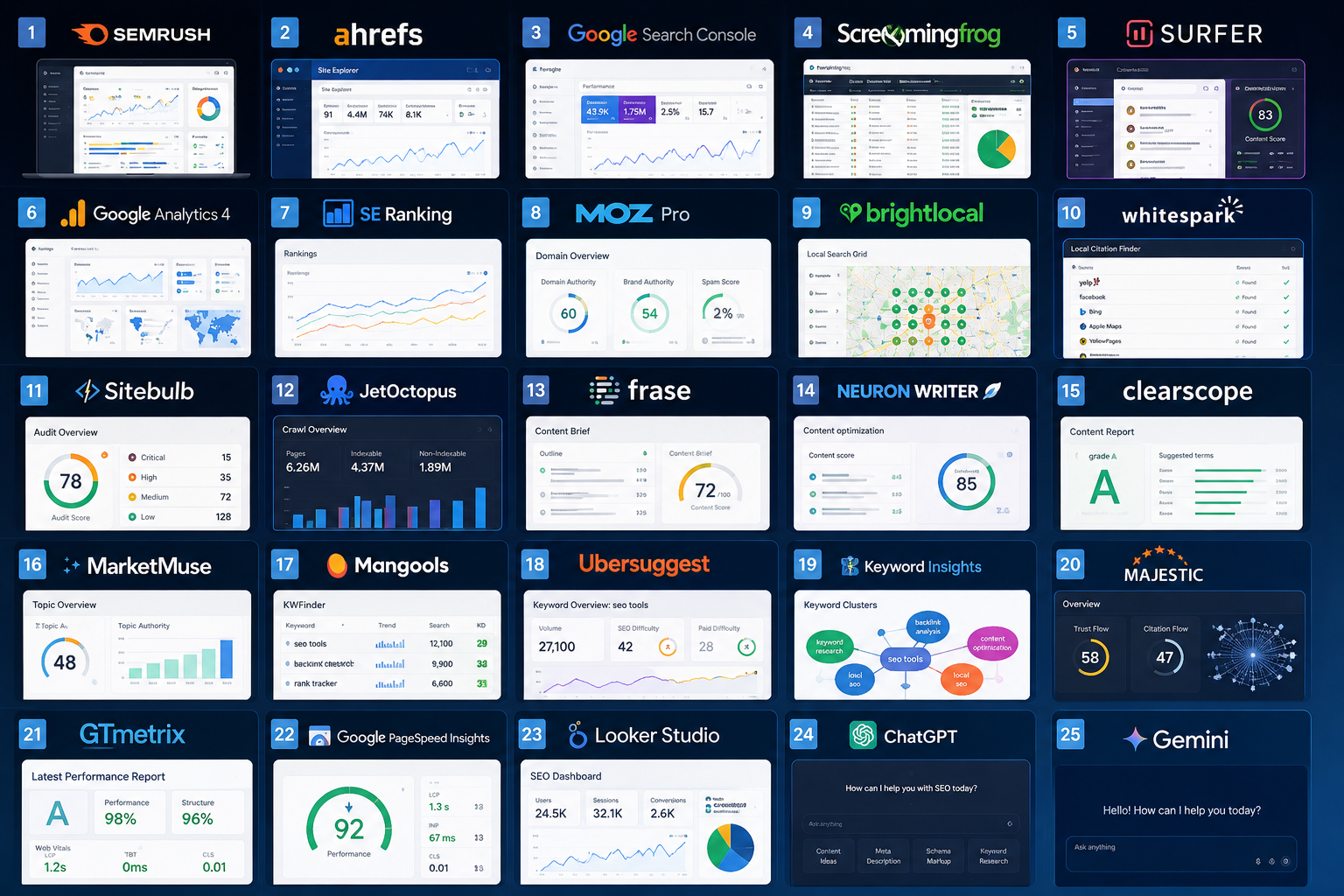

25 Best SEO Tools in 2026 (Tested & Reviewed): The Ultimate Guide
Choosing an SEO tool sounds simple until you actually start looking.
Do a quick Google search and you'll find hundreds of articles claiming they've found the "best" SEO software. The problem is that most of them say the same thing. They repeat feature lists from company websites, rank tools based on popularity, and rarely explain how those tools perform when you're working on real SEO campaigns.
At 4Core Digital, we've spent years working with businesses across different industries—from local service providers and eCommerce brands to SaaS companies and national businesses. During that time, we've tested dozens of SEO platforms for everything from technical audits and keyword research to content planning, backlink analysis, local SEO, and reporting.
One question comes up more than almost any other:
"Which SEO tool is actually worth paying for?"
It's a fair question.
SEO software isn't cheap, and with new AI-powered platforms launching almost every month, it's easy to spend money on tools you'll barely use after the first few weeks.
The truth is that there isn't one perfect SEO tool.
The best choice depends on what you're trying to accomplish.
A local business owner doesn't need the same toolkit as an agency managing 50 client websites. An online store with thousands of products has different priorities than a freelance consultant focusing on content marketing.
That's exactly why we created this guide.
Instead of simply listing software, we wanted to explain where each tool shines, where it falls short, and who it's best suited for.
Some of these tools have been industry favourites for years because they consistently deliver results. Others are newer platforms that have earned a place in modern SEO workflows thanks to AI, automation, and smarter data analysis.
Whether you're investing in your first SEO tool or looking to upgrade your current stack, this guide will help you make a more informed decision.
How We Reviewed These SEO Tools
There are plenty of "Top SEO Tools" articles online, but many of them are little more than affiliate lists.
We wanted to take a different approach.
Rather than focusing on marketing claims, we looked at how each platform fits into day-to-day SEO work.
When evaluating every tool, we considered:
Ease of Use
A powerful tool isn't much help if it takes weeks to learn. We looked for platforms that balance functionality with usability.
Features
We assessed how well each tool performs in its core area, whether that's keyword research, technical SEO, backlink analysis, content optimization, or local search.
Accuracy
Reliable data matters. Search volumes, ranking reports, crawl insights, and backlink indexes should be as accurate and up to date as possible.
Value for Money
The most expensive option isn't always the best. We considered what you actually get for your subscription and whether the pricing makes sense for freelancers, agencies, and businesses.
Scalability
Can the tool grow with your business? Some platforms work well for a single website but struggle when you're managing multiple clients or larger projects.
Overall Experience
Finally, we looked at something that's harder to measure but just as important: would we genuinely recommend this tool to a client or use it ourselves?
Quick Comparison Table
| Tool | Best For | Free Version | Starting Price* |
|---|---|---|---|
| Semrush | All-in-one SEO | Limited | Paid plans available |
| Ahrefs | Backlinks & competitor research | Limited Webmaster Tools | Paid plans available |
| Google Search Console | Performance monitoring | Yes | Free |
| Screaming Frog SEO Spider | Technical SEO | Free version available | Paid license available |
| Surfer SEO | Content optimization | No | Paid plans available |
| Google Analytics 4 | Website analytics | Yes | Free |
| SE Ranking | Small businesses & agencies | Trial available | Paid plans available |
| Moz Pro | Beginners | Trial available | Paid plans available |
How to Choose the Right SEO Tool
One of the biggest mistakes we see businesses make is trying to find a single platform that does everything.
In reality, most SEO professionals use a combination of tools because each one has its own strengths.
Before subscribing to anything, ask yourself a few questions.
What are you trying to solve?
If you're struggling to find keywords, you probably don't need an enterprise-level crawler.
If your website has indexing problems, a technical SEO tool will provide more value than another keyword research platform.
Start with your biggest challenge and choose a tool that solves that problem first.
What's your budget?
There are excellent free tools available.
Google Search Console and Google Analytics 4 should be part of every website's SEO setup regardless of budget.
If you're just getting started, combining free Google tools with one paid SEO platform is often enough.
Who will use it?
A freelancer managing a handful of websites doesn't need the same feature set as an agency handling dozens of clients.
Paying for features you'll never use is one of the quickest ways to waste your SEO budget.
Will it save time?
The best SEO tools don't just provide data.
They help you make faster, smarter decisions.
If a tool saves you several hours every week, it often pays for itself.
Semrush
Best forBusinesses and agencies looking for an all-in-one SEO platform.
If someone asked us to recommend just one paid SEO platform, Semrush would almost always be part of the conversation.
One of the biggest reasons it's remained so popular is that it brings almost everything into one dashboard. Instead of switching between different platforms for keyword research, competitor analysis, technical audits, backlink monitoring, and rank tracking, you can manage most of your SEO workflow in one place.
That convenience becomes even more valuable when you're working with multiple websites or clients.
What We Like
Semrush makes competitor research surprisingly simple. Within minutes, you can see which keywords competitors rank for, where their backlinks come from, which pages generate the most traffic, and where new opportunities exist.
The Site Audit tool is another standout feature. It quickly highlights crawl errors, duplicate content, broken links, missing metadata, Core Web Vitals issues, and other technical problems that could affect rankings.
What Could Be Better
The biggest drawback is cost.
For small businesses or freelancers just starting out, Semrush can feel like a significant investment.
Because it includes so many features, it also takes time to learn. New users may initially feel overwhelmed by the number of reports available.
Key Features
- Keyword Research
- Competitor Analysis
- Backlink Analytics
- Site Audit
- Position Tracking
- Content Marketing Toolkit
- Local SEO tools
- AI-powered insights
Pricing
Semrush offers several paid plans depending on your needs. Pricing changes over time, so check the official website for the latest options.
Best Alternative
Ahrefs
Expert Verdict
If you're serious about SEO and want one platform that covers nearly every aspect of organic search, Semrush remains one of the strongest choices available.
Overall Rating: ★★★★★ (4.9/5)
Ahrefs
Best forBacklink analysis and competitor research.
Ask a room full of SEO professionals which backlink tool they trust most, and Ahrefs will almost certainly be mentioned.
Its backlink database has built a strong reputation over the years, making it one of the first places many SEO specialists look when planning link-building campaigns or analysing competitors.
But Ahrefs is much more than a backlink checker.
Its keyword research tools, content explorer, and site audit features make it a genuinely well-rounded platform.
What We Like
The Site Explorer is incredibly useful.
Whether you're researching your own website or analysing competitors, it provides a clear picture of organic traffic, backlinks, top-performing pages, anchor text, and ranking keywords.
It's one of the fastest ways to understand why a competitor is outperforming you.
What Could Be Better
Ahrefs has reduced some features in lower-tier plans over the years, which may be frustrating for smaller businesses.
Some users also prefer Semrush's reporting interface for client presentations.
Key Features
- Site Explorer
- Keywords Explorer
- Content Explorer
- Rank Tracker
- Site Audit
- Backlink Checker
Pricing
Paid subscription plans are available, with a limited version offered through Ahrefs Webmaster Tools.
Best Alternative
Semrush
Expert Verdict
If backlinks and competitor research are priorities, Ahrefs remains one of the industry's benchmark tools.
Overall Rating: ★★★★★ (4.8/5)
Google Search Console
Best forMonitoring how your website performs in Google Search.
If you only install one SEO tool, make it Google Search Console.
Unlike third-party platforms, the data comes directly from Google itself.
That makes it invaluable for understanding how your website is actually performing in search results.
You'll see which search queries generate impressions, which pages receive clicks, where rankings are improving, and whether Google has encountered crawling or indexing issues.
What We Like
Search Console is free, easy to set up, and provides insights that every website owner should review regularly.
The indexing reports and Performance section are particularly valuable for spotting opportunities.
What Could Be Better
It doesn't include competitor research, backlink intelligence, or advanced keyword discovery.
Most SEO professionals use it alongside another dedicated SEO platform.
Key Features
- Search Performance
- Index Coverage
- URL Inspection
- Core Web Vitals
- Sitemap Submission
- Manual Actions
Pricing
Free.
Best Alternative
Bing Webmaster Tools (for Microsoft Search)
Expert Verdict
Every website should use Google Search Console. Even if you subscribe to premium SEO software, this remains one of the most important tools available.
Overall Rating: ★★★★★ (5/5)
Screaming Frog SEO Spider
Best forTechnical SEO audits.
If you've ever wondered why a page isn't indexed, where duplicate titles are hiding, or whether broken redirects are affecting your site, Screaming Frog is usually the first tool we open.
It isn't flashy.
The interface looks more like a spreadsheet than modern SaaS software.
But don't let that fool you.
Under the hood, it's one of the most powerful technical SEO tools available.
What We Like
Screaming Frog gives you complete visibility into how a search engine crawler views your website.
You can quickly identify missing title tags, duplicate content, redirect chains, broken links, orphan pages, oversized images, and hundreds of other technical issues.
For technical SEO work, it's difficult to replace.
What Could Be Better
The learning curve is steeper than most cloud-based SEO platforms.
Beginners may need time to understand the reports.
Key Features
- Full Website Crawling
- Redirect Analysis
- Duplicate Content Detection
- Broken Link Reports
- XML Sitemap Generation
- Custom Extraction
Pricing
A generous free version is available, with a paid license unlocking additional features for larger websites.
Best Alternative
Sitebulb
Expert Verdict
If technical SEO is part of your workflow, Screaming Frog deserves a permanent place in your toolkit.
Overall Rating: ★★★★★ (4.9/5)
Surfer SEO
Best forContent optimization and on-page SEO
Writing content that ranks has become much more challenging over the past few years.
It's no longer enough to sprinkle a keyword throughout a page and hope for the best. Google's algorithms have become much better at understanding topics, context, search intent, and content quality.
That's where Surfer SEO comes in.
Instead of guessing what should be included in an article, Surfer analyzes the pages already ranking for your target keyword and provides recommendations based on common patterns. It looks at headings, keywords, content structure, topical coverage, and other on-page elements to help you create content that's more competitive.
One of the reasons we like Surfer is that it acts more like a guide than a strict rulebook.
It doesn't tell you to copy competitors. Instead, it helps you identify gaps and build more comprehensive content.
What We Like
The Content Editor is easily Surfer's standout feature.
As you write, it provides live recommendations for headings, terms to include, and overall content depth. This makes it particularly useful for content writers who want immediate feedback without constantly switching between browser tabs.
We've also found the SERP Analyzer to be helpful when planning new content. It gives a clearer picture of what Google appears to reward for a specific query, making it easier to align articles with search intent.
What Could Be Better
One mistake some people make is treating Surfer's content score as the ultimate goal.
A high optimization score doesn't automatically mean you'll rank well.
Search intent, originality, backlinks, technical SEO, user experience, and authority all play important roles. Surfer works best when it's used as a guide rather than a checklist.
Pricing may also be difficult to justify if you only publish a few articles each month.
Key Features
- AI-powered Content Editor
- SERP Analyzer
- Keyword recommendations
- Content Audit
- Internal linking suggestions
- Content planning tools
Pricing
Surfer offers several subscription plans based on usage. Visit the official website for the latest pricing.
Real-World Use Cases
- Optimizing existing blog posts
- Creating SEO-focused landing pages
- Improving topical relevance
- Updating underperforming content
- Building content clusters
Our Experience
When we're refreshing older content, Surfer often helps us spot missing topics that deserve more attention. It's especially useful for identifying areas where an article feels too thin compared to the pages already performing well in search results.
That said, we never optimize content just to achieve a higher content score. Readers always come first.
Best Alternative
NeuronWriter
Bottom Line
If content marketing is a significant part of your SEO strategy, Surfer SEO can save a considerable amount of research time while helping you create more comprehensive pages.
Overall Rating: ★★★★☆ (4.7/5)
Google Analytics 4 (GA4)
Best forUnderstanding website traffic and user behaviour
SEO isn't just about getting more visitors.
It's about attracting the right visitors and understanding what they do once they arrive on your website.
That's where Google Analytics 4 becomes essential.
While Search Console tells you how people find your website, GA4 helps explain what happens after they click.
You can see which pages people visit, how long they stay, where they leave, which channels generate conversions, and how users interact with your website.
Those insights are incredibly valuable when you're trying to improve not only rankings but also enquiries, sales, and revenue.
What We Like
GA4 provides a much deeper understanding of user behaviour than many people realize.
You can identify pages with strong traffic but poor engagement, discover where users drop out of conversion funnels, and measure which SEO efforts are producing real business results rather than just more clicks.
The integration with Google Search Console and Looker Studio is another major advantage.
What Could Be Better
There's no getting around it—GA4 has a learning curve.
If you're used to Universal Analytics, the event-based reporting system takes some time to understand.
Many businesses only use a small fraction of what GA4 is capable of.
Key Features
- User behaviour analysis
- Conversion tracking
- Event tracking
- Engagement metrics
- Audience insights
- Custom reports
- Integration with Google products
Pricing
Free.
Real-World Use Cases
- Measuring SEO conversions
- Tracking lead generation
- Monitoring eCommerce sales
- Identifying high-performing landing pages
- Improving user journeys
Our Experience
One of the first reports we check after launching new SEO content is how visitors actually interact with it.
High rankings are encouraging, but if users leave after a few seconds or never take the next step, there's usually room for improvement.
GA4 helps connect SEO performance with real business outcomes.
Best Alternative
Adobe Analytics (for enterprise businesses)
Bottom Line
If you're investing in SEO, you should also be measuring what that investment delivers. Google Analytics 4 remains one of the most valuable free tools available for doing exactly that.
Overall Rating: ★★★★★ (4.8/5)
SE Ranking
Best forSmall businesses, freelancers, and growing agencies
Not every business needs an enterprise-level SEO platform.
For many freelancers, consultants, and small agencies, SE Ranking strikes an excellent balance between functionality, simplicity, and affordability.
It covers many of the features you'd expect from larger SEO suites, including keyword research, rank tracking, website audits, competitor analysis, backlink monitoring, and reporting, but without feeling overwhelming.
If you're looking for solid functionality without paying for dozens of advanced features you'll rarely use, SE Ranking is well worth considering.
What We Like
The interface is clean and intuitive, making it easy to navigate even if you're relatively new to SEO.
Rank tracking is reliable, reporting is straightforward, and the platform continues to add useful features without becoming unnecessarily complicated.
For agencies managing multiple smaller clients, white-label reporting is another welcome addition.
What Could Be Better
Although SE Ranking performs well across many areas, some of its datasets aren't as extensive as larger competitors like Semrush or Ahrefs.
Businesses working in highly competitive international markets may occasionally prefer those larger databases.
Key Features
- Rank tracking
- Keyword research
- Website audit
- Competitor analysis
- Backlink monitoring
- White-label reports
- Marketing plan
Pricing
Several paid plans are available depending on the number of projects and keywords you need to monitor.
Real-World Use Cases
- Managing multiple client websites
- Monthly SEO reporting
- Local SEO campaigns
- Website health monitoring
- Competitor tracking
Our Experience
SE Ranking is one of the platforms we often recommend to businesses that are making their first investment in professional SEO software.
It offers an impressive feature set while remaining approachable for users who don't need enterprise-level complexity.
Best Alternative
Semrush
Bottom Line
If you're looking for an affordable all-round SEO platform that covers the essentials without overwhelming you, SE Ranking deserves serious consideration.
Overall Rating: ★★★★☆ (4.6/5)
Moz Pro
Best forBeginners and marketers learning SEO
Moz has been part of the SEO industry for well over a decade.
While newer platforms have introduced more advanced features, Moz continues to be a trusted choice for businesses that value simplicity and ease of use.
One of its biggest contributions to the SEO industry is Domain Authority (DA), a metric that's still widely referenced when evaluating website strength and backlink opportunities.
Although DA shouldn't be treated as a Google ranking factor, it can still be useful when comparing websites or assessing link-building prospects.
What We Like
Moz has one of the easiest learning curves among premium SEO platforms.
Its interface is uncluttered, reports are easy to understand, and many of the recommendations are written in plain language instead of technical jargon.
For business owners managing their own SEO, that's a significant advantage.
What Could Be Better
Compared to larger competitors, Moz's keyword database and backlink index aren't as comprehensive.
Experienced SEO professionals managing large websites may eventually outgrow the platform.
Key Features
- Keyword Explorer
- Site Crawl
- Rank Tracking
- Link Explorer
- Domain Authority
- On-page optimization recommendations
Pricing
Moz offers paid plans with a free trial available for new users.
Real-World Use Cases
- Learning SEO fundamentals
- Monitoring keyword rankings
- Finding link opportunities
- Website audits
- On-page optimization
Our Experience
Moz remains a platform we recommend to people who are just beginning their SEO journey.
It focuses on the fundamentals without overwhelming users with hundreds of reports they'll never open.
As businesses grow, many eventually move to larger platforms, but Moz is still an excellent place to start.
Best Alternative
SE Ranking
Bottom Line
Moz may not have the largest feature set in 2026, but it's still one of the most user-friendly SEO platforms available and a solid choice for beginners and growing businesses.
Overall Rating: ★★★★☆ (4.5/5)
Which of These Tools Is Right for You?
If you're still deciding, here's a quick summary.
Remember, there's no rule that says you need to use just one tool.
In fact, most experienced SEO professionals combine several platforms. A typical workflow might include Google Search Console for performance data, Screaming Frog for technical audits, Semrush or Ahrefs for keyword and competitor research, Surfer SEO for content optimization, and GA4 to measure business results.
Choosing tools that complement each other often delivers far more value than trying to force one platform to handle every task.
| If you need... | Our Recommendation |
|---|---|
| The best all-in-one SEO platform | Semrush |
| Industry-leading backlink analysis | Ahrefs |
| Free SEO performance data | Google Search Console |
| Technical website audits | Screaming Frog |
| Content optimization | Surfer SEO |
| Website analytics & conversions | Google Analytics 4 |
| Affordable all-round SEO software | SE Ranking |
| Beginner-friendly SEO platform | Moz Pro |
BrightLocal
Best forLocal SEO and Google Business Profile management
If your business relies on local customers, BrightLocal deserves a place on your shortlist.
While platforms like Semrush and Ahrefs include local SEO features, BrightLocal is built specifically for businesses that want to improve their visibility in Google Maps and local search results.
Whether you're managing one location or hundreds, it gives you a much clearer picture of your local presence.
What We Like
One of BrightLocal's biggest strengths is how much time it saves.
Instead of manually checking rankings in different locations or keeping spreadsheets of citations, everything is organized in one dashboard.
The reporting is also excellent, making it particularly useful for agencies sending monthly updates to clients.
What Could Be Better
BrightLocal isn't designed to replace a full SEO suite.
You'll still need another platform for keyword research, backlink analysis, and technical SEO.
Key Features
- Google Business Profile reporting
- Local rank tracking
- Citation monitoring
- Review management
- Local SEO audits
- White-label reports
Pricing
Several plans are available depending on the number of locations you manage.
Real-World Use Cases
- Multi-location businesses
- Local service companies
- SEO agencies
- Franchise businesses
- Reputation management
Our Experience
When working on local SEO campaigns, BrightLocal gives us visibility that's difficult to achieve using general SEO tools alone. The ability to monitor rankings by location and identify citation issues makes it particularly valuable.
Best Alternative
Local Falcon
Bottom Line
If local SEO is a major source of business, BrightLocal is one of the smartest investments you can make.
Overall Rating: ★★★★★ (4.8/5)
Whitespark
Best forCitation building and local search visibility
Whitespark has built a strong reputation by focusing on one area of SEO that many businesses overlook: citations.
Accurate business listings still play an important role in local search, especially for businesses competing in specific cities or regions.
Whitespark makes finding, managing, and building citations much easier than doing everything manually.
What We Like
Its Local Citation Finder remains one of the most useful tools for discovering opportunities your competitors already have.
We also appreciate how focused the platform is. Rather than trying to do everything, it excels in its niche.
What Could Be Better
If you're looking for a complete SEO platform, Whitespark isn't it.
It's best used alongside other SEO software.
Key Features
- Citation Finder
- Reputation Builder
- Local Rank Tracker
- Google Business Profile tools
- Citation management
Pricing
Flexible pricing is available depending on the services and tools you use.
Real-World Use Cases
- Building local authority
- Citation cleanup
- Improving NAP consistency
- Local ranking improvements
Our Experience
When launching SEO campaigns for local businesses, citation accuracy is one of the first things we review. Whitespark simplifies what would otherwise be a very time-consuming process.
Best Alternative
BrightLocal
Bottom Line
If your SEO strategy depends on local visibility, Whitespark remains one of the industry's most trusted citation platforms.
Overall Rating: ★★★★☆ (4.7/5)
Sitebulb
Best forVisual technical SEO audits
Technical SEO reports can be overwhelming.
Long spreadsheets and endless lists of URLs aren't always easy to interpret, especially for clients or business owners.
Sitebulb approaches technical SEO differently.
Instead of simply presenting raw data, it explains what issues exist, why they matter, and how they should be prioritized.
What We Like
The visual reports are outstanding.
Issues are grouped logically, making it much easier to understand where improvements should begin.
For agencies, this also makes communicating technical problems far simpler.
What Could Be Better
Sitebulb requires a paid subscription, and some advanced users may still prefer Screaming Frog's flexibility for custom crawls.
Key Features
- Website crawling
- Internal linking analysis
- Structured data reports
- Duplicate content detection
- Visual audit reports
- SEO recommendations
Pricing
Paid plans are available with different licensing options.
Real-World Use Cases
- Technical website audits
- Client reporting
- Internal link optimization
- Website migrations
Our Experience
Whenever we need to explain technical SEO findings to clients, Sitebulb's reports often communicate issues more clearly than spreadsheets ever could.
Best Alternative
Screaming Frog SEO Spider
Bottom Line
If you like technical SEO presented in a way that's easy to understand, Sitebulb is an excellent choice.
Overall Rating: ★★★★☆ (4.7/5)
JetOctopus
Best forEnterprise SEO and log file analysis
Most small businesses will never need JetOctopus.
But if you're managing a large eCommerce store, publisher, or enterprise website with hundreds of thousands—or even millions—of pages, it's a different story.
JetOctopus is built for scale.
Its combination of website crawling and server log analysis provides insights that many traditional SEO tools simply can't.
What We Like
Log file analysis is incredibly valuable for understanding how search engine bots actually crawl your website.
Instead of guessing where crawl budget is being spent, you can see the data.
What Could Be Better
For smaller websites, the platform can feel unnecessarily complex.
Many of its most powerful features are only relevant to enterprise SEO.
Key Features
- Enterprise website crawling
- Log file analysis
- Crawl budget monitoring
- Indexation analysis
- JavaScript rendering
Pricing
Enterprise pricing varies depending on website size.
Real-World Use Cases
- Large eCommerce stores
- News publishers
- International websites
- Enterprise SEO teams
Our Experience
For large-scale technical projects, JetOctopus provides insights that are difficult to replicate elsewhere, particularly when crawl efficiency becomes a priority.
Best Alternative
Botify
Bottom Line
If you're responsible for a massive website, JetOctopus is one of the strongest enterprise SEO platforms available.
Overall Rating: ★★★★☆ (4.8/5)
Frase
Best forAI-powered content briefs
Planning SEO content can often take longer than writing it.
Frase speeds up that process by analyzing search results and generating detailed content briefs.
Instead of manually reviewing dozens of competitor articles, it summarizes the information you need before you start writing.
What We Like
The content briefs save a significant amount of research time.
They're especially useful for agencies managing multiple content projects each month.
What Could Be Better
AI-generated outlines still need human editing.
They're a starting point—not a finished article.
Key Features
- AI content briefs
- Question research
- SERP analysis
- Content optimization
- AI writing assistance
Pricing
Paid plans are available based on content usage.
Our Experience
Frase works best during the planning stage. It helps identify important topics quickly while leaving the creativity to the writer.
Best Alternative
Surfer SEO
Bottom Line
Frase is an excellent research assistant, particularly for content teams publishing at scale.
Overall Rating: ★★★★☆ (4.6/5)
NeuronWriter
Best forSemantic SEO and NLP optimization
NeuronWriter has become increasingly popular among SEO professionals looking for an affordable alternative to Surfer SEO.
Its focus on semantic relevance makes it particularly useful when creating comprehensive content around a topic.
What We Like
The interface is straightforward, and the optimization recommendations are easy to follow without feeling overwhelming.
What Could Be Better
Although it performs well, its ecosystem isn't quite as mature as some larger competitors.
Key Features
- Semantic keyword suggestions
- Content scoring
- NLP recommendations
- Competitor analysis
- AI writing support
Pricing
Subscription plans vary depending on usage.
Our Experience
For businesses wanting strong content optimization without enterprise pricing, NeuronWriter offers impressive value.
Best Alternative
Surfer SEO
Bottom Line
A powerful option for writers and SEO professionals focused on topical relevance.
Overall Rating: ★★★★☆ (4.7/5)
Clearscope
Best forPremium content optimization
Clearscope has long been trusted by enterprise marketing teams because of its emphasis on content quality rather than keyword density.
It encourages writers to create comprehensive resources that genuinely answer users' questions.
What We Like
The recommendations are clean, practical, and easy to implement.
The platform also integrates well with existing editorial workflows.
What Could Be Better
Pricing puts it beyond the reach of many freelancers and small businesses.
Key Features
- Content grading
- Semantic analysis
- Keyword suggestions
- Competitive insights
- Editorial workflow support
Pricing
Premium pricing aimed primarily at professional content teams.
Our Experience
Clearscope consistently produces high-quality optimization recommendations, especially for businesses publishing authoritative content.
Best Alternative
MarketMuse
Bottom Line
If content quality is your competitive advantage, Clearscope remains one of the strongest premium options available.
Overall Rating: ★★★★☆ (4.8/5)
MarketMuse
Best forContent strategy and topical authority
Publishing random blog posts isn't a content strategy.
MarketMuse helps businesses identify content gaps, prioritize opportunities, and build authority across entire topics rather than individual keywords.
What We Like
Its AI-driven recommendations make long-term content planning much easier.
Instead of asking "What should we publish next?" you can build an entire roadmap based on data.
What Could Be Better
The platform is more powerful than many businesses actually need.
Smaller websites may find simpler tools easier to manage.
Key Features
- Content inventory
- Topic modeling
- Content planning
- AI recommendations
- Authority analysis
Pricing
Plans are available for individuals through to enterprise organizations.
Our Experience
MarketMuse shines when building topical authority over months rather than optimizing individual pages.
Best Alternative
Clearscope
Bottom Line
For businesses investing heavily in content marketing, MarketMuse offers a strategic advantage that's difficult to match.
Overall Rating: ★★★★☆ (4.8/5)
Mangools
Best forKeyword research made simple
Not everyone needs a platform packed with enterprise-level features.
Sometimes you just want a reliable keyword research tool that's easy to use.
That's where Mangools excels.
Its suite includes KWFinder, SERPChecker, LinkMiner, SiteProfiler, and SERPWatcher, giving users a practical set of SEO tools without unnecessary complexity.
What We Like
KWFinder remains one of the easiest keyword research tools to learn.
The interface is clean, reports are simple, and finding long-tail keyword opportunities takes very little effort.
What Could Be Better
Power users managing large SEO campaigns may eventually want deeper datasets available in platforms like Ahrefs or Semrush.
Key Features
- KWFinder
- SERPChecker
- LinkMiner
- SERPWatcher
- SiteProfiler
Pricing
Affordable subscription plans make Mangools attractive to freelancers and small businesses.
Real-World Use Cases
- Keyword research
- Competitor analysis
- Rank tracking
- Link research
- SEO learning
Our Experience
Mangools is often one of the first paid SEO tools we recommend to beginners because it strikes a great balance between simplicity and capability.
Best Alternative
SE Ranking
Bottom Line
If you're looking for a straightforward SEO toolkit that's easy to learn and reasonably priced, Mangools is an excellent choice.
Overall Rating: ★★★★☆ (4.6/5)
Ubersuggest
Best forBeginners and budget-conscious businesses
Not every business has the budget for enterprise SEO software, especially when they're just starting to invest in organic growth.
That's one of the reasons Ubersuggest continues to be popular.
It offers keyword research, competitor analysis, backlink insights, rank tracking, and website audits in a clean, beginner-friendly interface. While it doesn't have the depth of larger platforms like Semrush or Ahrefs, it covers the basics surprisingly well.
What We Like
Ubersuggest is easy to understand.
You don't need to be an SEO expert to start finding keyword ideas, checking competitors, or identifying simple website improvements.
For many small businesses, that's exactly what's needed.
What Could Be Better
Its keyword database and backlink index aren't as extensive as premium competitors, which becomes more noticeable in highly competitive industries.
Key Features
- Keyword research
- SEO audit
- Backlink overview
- Competitor analysis
- Rank tracking
- Content ideas
Pricing
Offers free access with usage limits alongside paid plans.
Real-World Use Cases
- Small business SEO
- Learning keyword research
- Competitor snapshots
- Basic site audits
Our Experience
For businesses taking their first steps into SEO, Ubersuggest provides enough data to make informed decisions without introducing unnecessary complexity.
Best Alternative
Mangools
Bottom Line
If you're looking for an affordable entry point into SEO software, Ubersuggest is a solid place to begin.
Overall Rating: ★★★★☆ (4.5/5)
Keyword Insights
Best forKeyword clustering and content planning
Publishing one article for every keyword is no longer an effective SEO strategy.
Modern SEO is about understanding search intent and creating comprehensive topic clusters.
Keyword Insights helps solve that challenge.
Instead of showing thousands of disconnected keywords, it groups related searches into clusters that can often be targeted within a single page.
What We Like
The clustering technology saves an enormous amount of manual work.
Rather than sorting spreadsheets for hours, you quickly see which keywords belong together.
What Could Be Better
This tool is designed for planning rather than complete SEO management, so you'll still need other platforms for technical SEO and backlink analysis.
Key Features
- Keyword clustering
- Search intent grouping
- Content briefs
- AI-assisted planning
- Topic mapping
Pricing
Subscription plans vary depending on keyword usage.
Real-World Use Cases
- Building topical authority
- Planning content hubs
- Reducing keyword cannibalization
- Editorial planning
Our Experience
When mapping large content strategies, Keyword Insights helps us move beyond isolated keywords and think in terms of complete topics.
Best Alternative
MarketMuse
Bottom Line
If your SEO strategy relies heavily on content, Keyword Insights can dramatically simplify planning.
Overall Rating: ★★★★☆ (4.7/5)
Majestic
Best forLink intelligence
Before modern all-in-one SEO platforms became popular, Majestic had already established itself as a trusted backlink analysis tool.
Today, it's still widely respected for its Trust Flow and Citation Flow metrics.
What We Like
Its historical backlink data is impressive, making it useful for analysing link profiles and identifying authority patterns.
What Could Be Better
The interface feels dated compared to newer competitors, and it focuses almost entirely on backlinks.
Key Features
- Trust Flow
- Citation Flow
- Backlink history
- Link context
- Referring domains
Pricing
Multiple paid plans are available.
Real-World Use Cases
- Link audits
- Competitor backlink analysis
- Digital PR research
- Authority evaluation
Our Experience
Although we often rely on broader SEO platforms, Majestic remains a valuable second opinion when evaluating backlink quality.
Best Alternative
Ahrefs
Bottom Line
If backlinks are central to your SEO strategy, Majestic still offers valuable insights.
Overall Rating: ★★★★☆ (4.5/5)
GTmetrix
Best forWebsite speed analysis
Website speed affects both user experience and SEO.
GTmetrix helps identify performance bottlenecks by analysing page load behaviour and highlighting opportunities for improvement.
What We Like
The waterfall reports make it much easier to understand what's slowing a page down.
Images, scripts, CSS, and server response times are all presented clearly.
What Could Be Better
Speed reports can feel technical for beginners, especially without developer support.
Key Features
- Performance analysis
- Waterfall reports
- Core Web Vitals
- Historical testing
- Performance recommendations
Pricing
Free version available with additional premium features.
Real-World Use Cases
- Website optimization
- Diagnosing slow pages
- Core Web Vitals improvements
Our Experience
GTmetrix is often one of the first tools we use after a website redesign or migration to identify new performance issues.
Best Alternative
Google PageSpeed Insights
Bottom Line
A reliable platform for understanding what's slowing your website and where improvements should begin.
Overall Rating: ★★★★☆ (4.7/5)
Google PageSpeed Insights
Best forCore Web Vitals
When Google introduced Core Web Vitals, PageSpeed Insights became an essential tool for website owners.
It combines real-world user data with lab testing to highlight performance issues affecting both desktop and mobile visitors.
What We Like
The recommendations are directly aligned with Google's own performance guidance.
That makes it one of the most trusted sources for website speed improvements.
What Could Be Better
Some recommendations require technical knowledge to implement.
The scores can also fluctuate depending on available field data.
Key Features
- Core Web Vitals
- Mobile performance
- Desktop performance
- Lab data
- Field data
- Performance recommendations
Pricing
Free.
Real-World Use Cases
- Monitoring Core Web Vitals
- Website performance audits
- Speed optimization
Our Experience
PageSpeed Insights helps validate whether website improvements are actually benefiting real users rather than just synthetic testing tools.
Best Alternative
GTmetrix
Bottom Line
Every website owner should check PageSpeed Insights regularly, especially after major website updates.
Overall Rating: ★★★★★ (4.9/5)
Looker Studio
Best forSEO reporting
Data is only useful if it's easy to understand.
Looker Studio helps turn information from Google Analytics, Search Console, Google Ads, and other platforms into visual dashboards that clients and stakeholders can actually use.
What We Like
The flexibility is excellent.
You can build reports tailored to business goals rather than relying on generic templates.
What Could Be Better
Building dashboards takes time initially, particularly if you're new to the platform.
Key Features
- Interactive dashboards
- Data connectors
- Custom reporting
- Client reports
- Automated updates
Pricing
Free.
Real-World Use Cases
- Monthly SEO reports
- Executive dashboards
- Client reporting
- Marketing performance tracking
Our Experience
We regularly use Looker Studio to present SEO progress in a way that's meaningful to business owners, focusing on traffic, enquiries, conversions, and revenue rather than just rankings.
Best Alternative
AgencyAnalytics
Bottom Line
If you're managing SEO campaigns, Looker Studio is one of the best reporting tools available.
Overall Rating: ★★★★★ (4.8/5)
ChatGPT
Best forSEO productivity and brainstorming
Artificial intelligence has changed how SEO professionals work.
ChatGPT won't replace strategy, experience, or critical thinking—but it can dramatically speed up many routine tasks.
We use it to brainstorm article ideas, create content outlines, generate schema markup, simplify technical concepts, improve readability, and explore different ways of answering search intent.
The key is knowing where AI adds value and where human expertise still matters.
What We Like
It removes a lot of repetitive work.
Instead of staring at a blank page, you can quickly generate ideas and build from them.
What Could Be Better
AI can make mistakes.
Facts should always be checked, and important content should be reviewed by someone with subject knowledge.
Key Features
- Brainstorming
- Content outlining
- Writing assistance
- Code generation
- Schema drafting
- Workflow automation
Pricing
Free and paid subscription options are available.
Real-World Use Cases
- Content ideation
- Meta descriptions
- FAQ generation
- Internal linking suggestions
- SEO workflow support
Our Experience
AI works best as a collaborator, not a replacement. It helps us work more efficiently while keeping strategy, editing, and quality firmly in human hands.
Best Alternative
Claude
Bottom Line
Used thoughtfully, ChatGPT can save hours every week and become one of the most valuable productivity tools in your SEO workflow.
Overall Rating: ★★★★★ (4.9/5)
Gemini
Best forResearch and information synthesis
Gemini has become another useful AI assistant for marketers and SEO professionals.
It's particularly helpful when researching unfamiliar topics, summarising large amounts of information, or exploring new ideas before content production begins.
What We Like
It handles research-oriented tasks well and helps accelerate the planning stage of content creation.
What Could Be Better
Like any AI system, outputs should be reviewed carefully for accuracy and context.
Key Features
- Research assistance
- Summarisation
- Brainstorming
- Writing support
- Workflow integration
Pricing
Free and premium options are available.
Real-World Use Cases
- Topic research
- Competitor summaries
- Content planning
- Draft refinement
Our Experience
Gemini is particularly useful when researching new industries or gathering background information before creating SEO strategies.
Best Alternative
ChatGPT
Bottom Line
Gemini is a valuable addition to modern SEO workflows, especially when paired with human expertise.
Overall Rating: ★★★★☆ (4.7/5)
The Best SEO Tools by Category
Choosing the right software is easier when you start with your primary goal.
| Category | Our Top Pick |
|---|---|
| Best Overall SEO Platform | Semrush |
| Best Backlink Tool | Ahrefs |
| Best Free SEO Tool | Google Search Console |
| Best Technical SEO Tool | Screaming Frog |
| Best Local SEO Tool | BrightLocal |
| Best Citation Tool | Whitespark |
| Best Content Optimization Tool | Surfer SEO |
| Best AI SEO Productivity Tool | ChatGPT |
| Best Website Analytics Tool | Google Analytics 4 |
| Best Reporting Tool | Looker Studio |
| Best Budget SEO Tool | Ubersuggest |
| Best Keyword Clustering Tool | Keyword Insights |
Final Verdict
If there's one takeaway from this guide, it's this:
The best SEO tool isn't necessarily the most expensive one. It's the one that helps you solve your biggest challenge.
A local business doesn't need the same software as a multinational eCommerce brand. A freelancer has different priorities than an agency with dozens of active clients.
That's why we recommend building a toolkit rather than relying on a single platform.
If we were putting together an ideal SEO stack in 2026, it would look something like this:
Together, these tools cover nearly every aspect of modern SEO without unnecessary overlap.
Remember, though, tools don't create results on their own.
They provide data, insights, and recommendations.
The real difference comes from how that information is interpreted and turned into a strategy that attracts qualified traffic, generates enquiries, and supports long-term business growth.
- Semrush for all-in-one SEO management
- Google Search Console for search performance
- Google Analytics 4 for user behaviour and conversions
- Screaming Frog for technical SEO
- Surfer SEO or NeuronWriter for content optimization
- BrightLocal for local SEO campaigns
- Looker Studio for reporting
- ChatGPT for planning, productivity, and workflow support