

What Is A Technical SEO Audit?
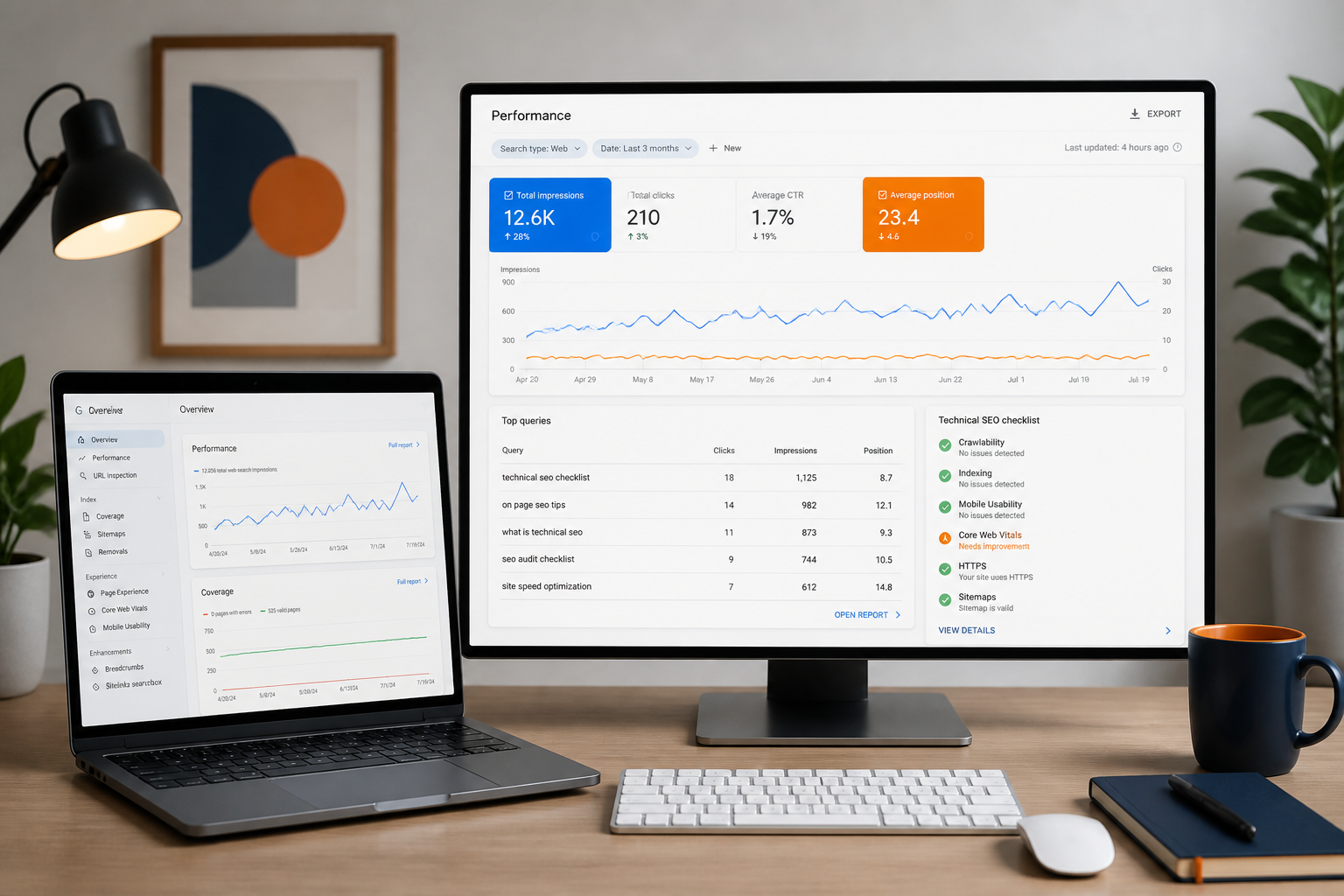
A technical SEO audit is the process of reviewing the technical foundation of a website to identify issues that may stop search engines from crawling, indexing, understanding or ranking important pages.
It usually checks crawlability, indexability, robots.txt, XML sitemaps, canonical tags, redirects, broken links, site structure, internal linking, page speed, Core Web Vitals, mobile usability, structured data, JavaScript rendering, duplicate content, thin pages, HTTPS, international SEO, log files, server errors and tracking setup.
The purpose is not only to find technical errors. The purpose is to understand whether your website is technically helping or limiting SEO performance.
Why Technical SEO Audits Matter
Technical SEO affects how search engines access and process your website. If your technical foundation is weak, your best pages may not perform as well as they should.
- Important pages blocked from crawling
- Pages excluded from indexing
- Duplicate URLs competing with each other
- Broken internal links and redirect chains
- Slow-loading templates and poor mobile experience
- Missing or incorrect schema
- Weak internal linking and thin pages indexed by mistake
- XML sitemap problems and JavaScript rendering issues
- Crawl budget waste, canonical errors and tracking gaps
Technical SEO Audit vs Content Audit vs On-Page SEO Audit
A technical SEO audit is different from a content audit or on-page SEO audit. They are connected, but they focus on different things.
| Audit Type | What It Reviews | Main Goal |
|---|---|---|
| Technical SEO Audit | Crawlability, indexing, speed, schema, redirects, architecture | Help search engines access and process the site |
| On-Page SEO Audit | Titles, headings, content structure, internal links, keyword targeting | Improve relevance and page-level optimization |
| Content Audit | Quality, freshness, intent, duplication, performance | Improve content usefulness and traffic potential |
| Link Audit | Backlinks, referring domains, anchors, toxic links | Understand authority and link risk |
| Conversion Audit | CTAs, forms, page layout, user journey | Turn more visitors into leads or sales |
When Should You Run A Technical SEO Audit?
A technical SEO audit is useful at many stages — not only when traffic drops.
- You launch a new website or redesign an existing one
- You migrate CMS / platform or change domain or URL structure
- Organic traffic drops or pages are not indexing
- Google Search Console shows errors or Core Web Vitals are poor
- You add many new pages, run an eCommerce store with filters, or operate a large blog
- You operate in multiple countries / languages or use JavaScript-heavy frameworks
- You depend on SEO for leads or sales
Tools Needed For A Technical SEO Audit
You do not need every SEO tool in the world to run a good audit — but you do need reliable data.
- Google Search Console and Google Analytics 4
- Screaming Frog and Sitebulb
- Ahrefs and SEMrush
- Google PageSpeed Insights and Chrome DevTools
- Rich Results Test and Schema Validator
- Robots.txt tester and XML sitemap review tools
- Log file analyzer and server access logs where available
Step 1: Check Crawlability
Crawlability means search engines can access your pages. If Google cannot crawl a page, it cannot properly evaluate it for search.
What to check
- Are important pages crawlable and returning 200 status codes?
- Is robots.txt blocking important sections?
- Are navigation and internal links accessible (not hidden behind forms or scripts)?
- Are there server errors or crawl traps?
- Are parameter, pagination or filtered URLs wasting crawl budget?
Common crawlability problems
- Important pages blocked in robots.txt
- Pages only accessible through search filters
- Internal links built with JavaScript only
- Broken navigation links and infinite crawl loops
- Session ID or parameter URLs and redirect chains
Step 2: Check Indexability
Crawlability and indexability are not the same. A page can be crawlable but not indexable. Indexability means the page is allowed and suitable to appear in search results.
- Does the page have a noindex tag?
- Is the canonical tag pointing elsewhere?
- Is the page blocked in robots.txt or excluded in Search Console?
- Is the page duplicate, near-duplicate, thin or low value?
- Is the page returning the correct status code and included in the XML sitemap?
- Is Google choosing a different canonical than you set?
Step 3: Review Robots.txt
The robots.txt file tells crawlers which areas of the website they can or cannot crawl. It does not guarantee index removal, but it can control crawling.
- Is robots.txt accessible and using correct syntax?
- Are important sections accidentally blocked?
- Are admin, cart, internal search and staging URLs handled correctly?
- Is the XML sitemap listed?
- Are parameter or filter URLs handled correctly?
Step 4: Review XML Sitemaps
An XML sitemap helps search engines discover important URLs. It should not include every URL on the website — it should include indexable, canonical and valuable pages.
- Is the sitemap accessible and submitted in Google Search Console?
- Does it include only indexable pages (no redirects, 404s, blocked or noindex URLs)?
- Are important service, product, category or location pages missing?
- Is the sitemap updated automatically and organized by category?
Step 5: Check Site Architecture
Site architecture is how your pages are organized and connected. A good structure helps users and search engines understand what matters most.
- Are important pages within a few clicks from the homepage?
- Is navigation clear and are pages grouped logically?
- Are services / products / categories properly organized?
- Do hub pages link to supporting pages and vice versa?
- Are orphan pages present or are important pages buried too deep?
What good site architecture looks like
- Homepage → Service Category → Service Page → Supporting Guide
- Homepage → Product Category → Product Page → Related Content
- Homepage → Location Hub → City Page → Service Location Page
- Homepage → Blog Hub → Topic Cluster → Supporting Article
Step 6: Audit Internal Linking
Internal linking helps distribute authority and guide users. It also helps search engines discover and understand pages.
- Do important pages receive enough internal links with descriptive anchor text?
- Are related pages connected and are old blogs linking to service pages?
- Are there orphan pages or important pages only linked from the footer?
- Are there broken internal links or pages with too many links?
Step 7: Review Status Codes
Status codes tell crawlers what happened when they requested a URL.
- Are important pages returning 200 and old URLs redirected correctly?
- Are there redirect chains or loops?
- Are broken pages linked internally or appearing in navigation?
- Are soft 404s or recurring server errors appearing during crawling?
| Status | Meaning |
|---|---|
| 200 | Page is working |
| 301 | Permanent redirect |
| 302 | Temporary redirect |
| 404 | Page not found |
| 410 | Gone |
| 500 | Server error |
| 503 | Temporarily unavailable |
Step 8: Review Redirects
Redirects are important during migrations, URL changes and deleted pages. But poor redirect handling can waste crawl signals.
- Are old URLs redirected to the most relevant new pages — not the homepage?
- Are redirect chains or loops present?
- Are HTTP URLs redirected to HTTPS and WWW / non-WWW handled consistently?
- Are slash / non-slash and uppercase / lowercase URLs handled consistently?
Step 9: Review Canonical Tags
Canonical tags help tell search engines which version of a page is the preferred version. They are especially important for eCommerce, filtered pages, duplicate pages and CMS-generated URLs.
- Does each important page have a self-referencing canonical?
- Are duplicate pages pointing to the right canonical?
- Are canonical URLs indexable (not pointing to redirected, 404 or noindex pages)?
- Are filter pages and product variants handled properly?
- Is Google respecting the canonical you set?
Step 10: Find Duplicate Content
Duplicate content can confuse search engines and dilute relevance.
- URL parameters, filters, tags and categories
- Print pages, pagination and product variants
- HTTP / HTTPS and WWW / non-WWW versions
- Copied manufacturer descriptions and similar location pages
- Thin AI-generated pages
Step 11: Identify Thin Or Low-Value Pages
Thin pages offer little unique value. They may be indexed but not helping your SEO.
- Empty category, low-quality tag and auto-generated pages
- Short location pages and duplicate service pages
- Search result and filter pages with no content
- Expired product / listing pages and old low-quality blog posts
Step 12: Audit Core Web Vitals & Page Speed
Page speed affects user experience, conversions and crawling efficiency. Core Web Vitals highlight real-world performance issues.
- Largest Contentful Paint (LCP), Interaction to Next Paint (INP), Cumulative Layout Shift (CLS)
- Image size, server response time and render-blocking scripts
- Unused CSS, JavaScript weight, font loading and lazy loading
- Mobile speed and third-party scripts
Step 13: Check Mobile Usability
Most users browse from mobile devices. A technical SEO audit should always include mobile experience.
- Is the site responsive with readable text and tappable buttons?
- Are forms easy to use and is navigation clear?
- Are popups blocking content or images failing to scale?
- Are click-to-call buttons working and is mobile speed acceptable?
Step 14: Audit JavaScript SEO
JavaScript can create serious SEO issues if important content or links are not easily rendered. This is especially important for React, Next.js, Vue, Angular and headless CMS websites.
- Can Google render the content and crawl internal links?
- Is important content available in the rendered HTML?
- Are routes indexable and not dependent on client-side rendering only?
- Is lazy-loaded content discoverable?
- Are canonical tags, meta tags and structured data rendered correctly?
Step 15: Review Structured Data
Structured data helps search engines understand your content more clearly. It can also support enhanced search features when valid and appropriate.
- Common types: Organization, LocalBusiness, Article, Product, Review, FAQ, Breadcrumb, Service, Video, HowTo where appropriate
- Is schema valid and matching visible page content?
- Are there warnings, errors or duplicate schema blocks?
- Is the right schema type used and are breadcrumbs marked up?
Step 16: Check HTTPS & Security
HTTPS is a basic requirement. Confirm the site is secure and consistent.
- Does the site use HTTPS with HTTP URLs redirected correctly?
- Are mixed content errors present?
- Are canonical, internal and sitemap URLs all using HTTPS?
- Is the SSL certificate valid and free of security warnings?
Step 17: Review URL Structure
URLs should be clean, readable and consistent.
- Good: /services/technical-seo, /blog/technical-seo-audit-guide, /locations/seo-services-london
- Weak: /page?id=1298, /category/uncategorized/post-2026-03, /service-page-copy-2-final
- Are URLs readable, not too long and free of unwanted parameters?
- Are uppercase / lowercase versions controlled and old URLs redirected properly?
Step 18: Review Image SEO
Images affect speed, accessibility and search understanding.
- Are images compressed with descriptive file names?
- Is alt text useful (e.g. 'Technical SEO dashboard showing crawl errors, index coverage and site performance data') and not generic ('image1')?
- Are dimensions defined and images lazy-loaded properly?
- Are important images indexable and modern formats like WebP used where possible?
Step 19: Review Pagination, Filters & Faceted Navigation
Large websites often have category filters, tags, pagination or search pages. These can create many low-value URLs.
- Are filter, tag and internal search URLs indexed when they shouldn't be?
- Are paginated pages crawlable and canonicals set correctly?
- Are filter combinations creating crawl waste?
- Are important filtered pages optimized as standalone landing pages?
Step 20: Review International SEO
If the website targets multiple countries or languages, international SEO should be checked.
- Are hreflang tags present and valid?
- Are country / language versions mapped correctly?
- Are canonicals conflicting with hreflang?
- Are translated pages indexable and is the language selector crawlable?
Step 21: Review Tracking & Measurement
A technical SEO audit should also check whether performance can be measured properly.
- Is GA4 installed and Google Search Console verified?
- Is conversion tracking working — form submissions, phone clicks, eCommerce events, thank-you pages?
- Are UTM links handled properly and are duplicate tracking tags present?
Step 22: Prioritize Technical SEO Issues
A good audit does not treat all issues equally. Some affect rankings, indexing and revenue; others are minor warnings.
Priority 1 — Critical
- Important pages blocked or noindexed
- Major indexing problems and sitewide canonical errors
- Broken migration redirects and widespread server errors
- Mobile usability problems, pages not rendering, broken forms or conversion paths
Priority 2 — High-Impact
- Weak internal linking and duplicate important pages
- XML sitemap problems and slow key templates
- Missing schema on important pages
- Thin location / category pages, redirect chains and broken internal links
Priority 3 — Improvements
- Image compression and minor schema warnings
- Metadata improvements and old low-traffic pages
- Small UX refinements and low-impact crawl warnings
38-Point Technical SEO Audit Checklist
Use this checklist when reviewing a website.
Crawl & indexing
- Confirm important pages are crawlable
- Check robots.txt for accidental blocks
- Review Search Console indexing reports
- Identify crawled-but-not-indexed pages
- Identify discovered-but-not-indexed pages
- Check noindex and canonical tags
- Review XML sitemap quality
Site structure
- Review website architecture
- Identify orphan pages
- Check click depth of important pages
- Review internal linking and improve anchor text
- Fix broken internal links
- Connect related pages clearly
Status codes & redirects
- Find 404 and 500 / server errors
- Review redirect chains and loops
- Check HTTP → HTTPS redirects
- Check WWW / non-WWW consistency
Duplicate & low-value pages
- Find duplicate and thin pages
- Review tag, category, filter and parameter URLs
- Remove, improve, redirect or noindex low-value URLs
Performance & mobile
- Review Core Web Vitals
- Compress large images and reduce unnecessary scripts
- Review mobile usability, click-to-call and forms
JavaScript & rendering
- Check rendered HTML
- Confirm important content is visible
- Confirm internal links are crawlable
- Check meta tags after rendering
Schema & tracking
- Validate structured data
- Check GA4 / Search Console setup
- Confirm conversion tracking works
90-Day Technical SEO Action Plan
Days 1–15: Audit & diagnosis
- Run a full crawl and review Search Console
- Check indexation, sitemap and robots.txt
- Check status codes and identify critical technical issues
- Review page templates, mobile usability and tracking setup
Days 16–45: Critical fixes
- Fix crawl blocks and noindex mistakes
- Fix broken redirects and important 404s
- Clean XML sitemap and resolve canonical issues
- Improve internal links and fix major mobile issues
- Fix conversion tracking issues
Days 46–75: Performance & structure
- Improve page speed and optimize images
- Review JavaScript rendering and improve key templates
- Add or fix schema and clean duplicate pages
- Improve site architecture and strengthen hub pages
Days 76–90: Monitoring & refinement
- Re-crawl the website and compare indexation changes
- Monitor Search Console, rankings and traffic
- Track conversions and prioritize the next round of improvements
Common Technical SEO Mistakes
- Fixing tool warnings without a strategy or business impact lens
- Ignoring Google Search Console in favor of third-party crawlers only
- Adding noindex without checking the impact on valuable pages
- Redirecting everything to the homepage instead of the closest relevant page
- Forgetting internal links — one of the most practical wins
- Ignoring mobile experience and treating page speed as only a score
- Letting filters create thousands of indexed pages
- Using schema incorrectly or in ways that do not match visible content
- Not re-auditing after fixes to confirm impact
Technical SEO For Different Website Types
Small business websites
Need clean site structure, strong service pages, local schema, mobile speed and working conversion tracking.
eCommerce websites
Need careful handling of product pages, categories, filters, variants, canonical tags, out-of-stock products and schema.
SaaS websites
Often need help with JavaScript rendering, documentation, feature pages, use case pages, subdomains and conversion tracking.
Local service websites
Need strong service / location pages, Google Business Profile alignment, local schema and click-to-call tracking.
Blogs & publishers
Need clean category structures, internal links, author pages, article schema, indexation control and content pruning.
International websites
Need correct hreflang, country / language structure, canonicals and translated page indexation.
What Technical SEO Can Help Improve
- Crawlability, indexation and crawl budget efficiency
- Page speed, Core Web Vitals and mobile usability
- Internal linking and site structure
- Schema validation and duplicate content control
- Search visibility and organic traffic quality
- User experience and conversion tracking clarity
Final Thoughts
A technical SEO audit is not about creating the longest checklist. It is about understanding what is stopping your website from being crawled, indexed, understood and trusted properly.
The best audits find the problems that matter, explain why they matter and turn them into a clear action plan. If your website has indexing issues, slow pages, duplicate URLs, broken redirects, weak internal links or poor mobile experience, fixing those issues can improve the foundation for all future SEO work.