
What Was The Google June 2026 Spam Update?
The June 2026 spam update was a Google Search ranking update designed to improve spam detection and reduce the presence of low-quality or manipulative content in search results. Google announced the update on its Search Status Dashboard and it was global and affected all languages.
Google's spam updates are different from core algorithm updates. A core update usually affects a broad range of content and websites, whereas spam updates are more focused on specific spam tactics.
Spam updates often target websites that use manipulative SEO tactics such as:
- Thin pages created for rankings
- Doorway pages targeting multiple locations with little value
- Duplicate and near-duplicate content
- Low-quality AI content
- Pages optimised for search engines rather than users
- Spammy internal linking
- Spammy backlinks
- Unnatural anchor text
- Pages with little value proposition
- Content created at scale with little quality control
The realisation
Not all websites that are affected by spam updates are intentionally manipulative. Sometimes websites are affected by spam updates because they have old SEO practices, thin content, doorway pages, poor backlinks, technical SEO issues, or other issues.
Google's spam updates are a reminder that SEO should be user-focused and not manipulative. Good SEO practices should be designed to help users find value on your website, choose your service over competitors, trust your business and take action. Websites that only exist to target keywords without providing value are at much higher risk.
Why Spam Updates Matter For Website Owners
Spam updates matter for website owners because they affect which websites appear in Google Search results. If your website relies on organic traffic, even a small ranking drop can affect your leads, sales, calls, local visibility, Google Maps presence, and overall revenue.
For example, a local service business that loses rankings for "plumber near me" or "dentist in [city]" will see a drop in calls. An ecommerce store that loses rankings for category and product pages will see a drop in sales. A SaaS company that loses rankings for comparison and feature pages will see a drop in demo sign-ups. A law firm that loses rankings for practice-area pages will see a drop in consultations.
That is why spam updates should not be taken lightly. However, they should not be overblown either. The most important thing is to do a spam update diagnosis and review the underlying causes.
Did Your Website Actually Get Hit?
Before jumping to conclusions, it is important to determine whether your website was actually hit by the Google June 2026 spam update.
SEO traffic can fluctuate for many reasons including seasonality, tracking issues, website changes, lost backlinks, competitor improvements, indexing issues, content changes, technical SEO issues, layout changes, Google Business Profile issues, paid ad changes, and other factors.
How to check the timing of the update
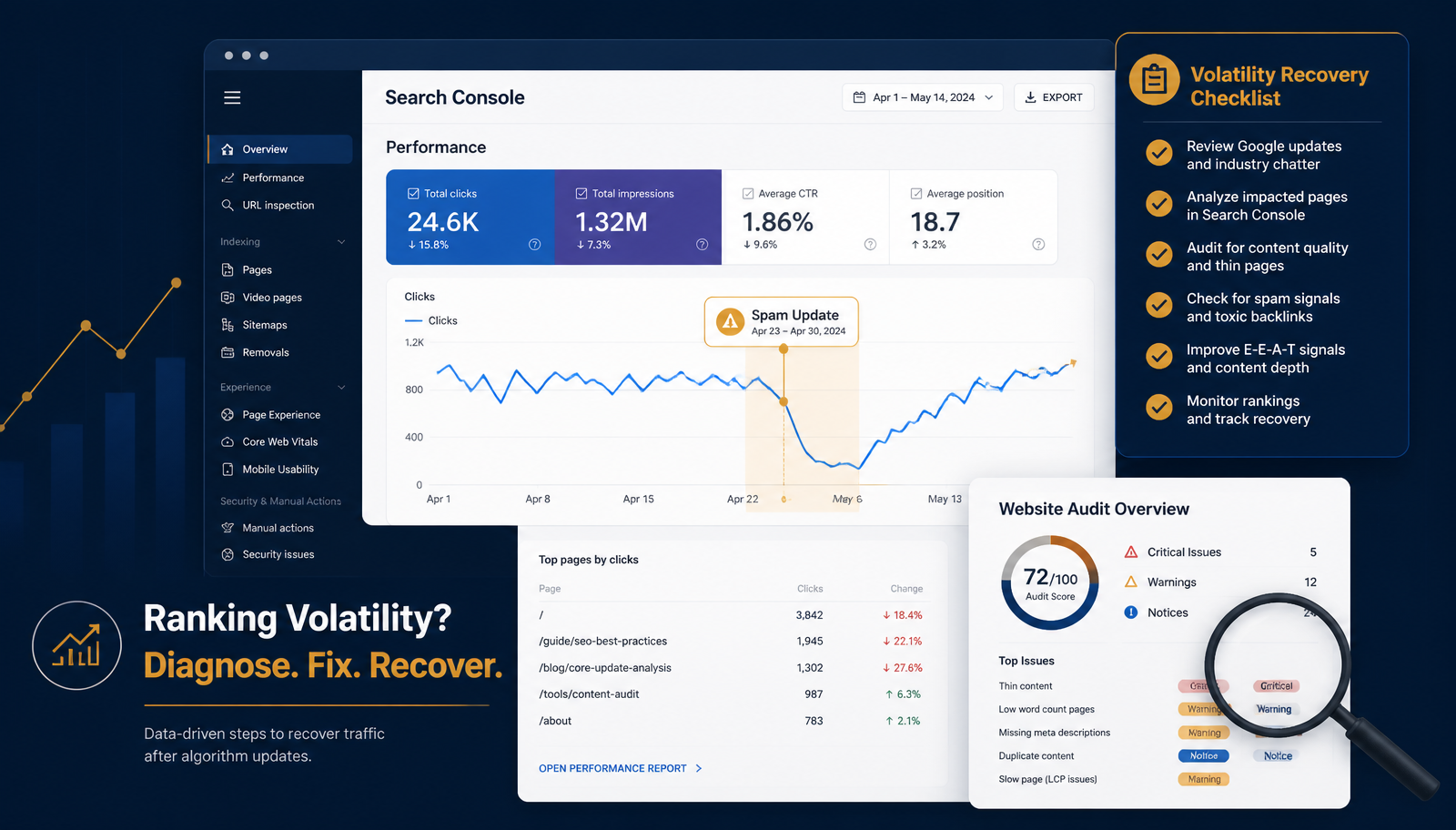
Go to Google Search Console and compare traffic 14 days before the update, 14 days after the update, the same time last month, and the same time last year (if seasonal). Look at the trends to see whether there was a significant drop around the time of the update.
Signs that the update affected your website
- Many pages dropped at the same time
- Impressions decreased for multiple queries
- Clicks decreased (if not tracking issue)
- Average position decreased for many queries
- Some pages fell off the first page
- Low-quality pages were de-indexed
- Websites with stronger content gained traffic
- Pages with thin or doorway content lost traffic
Signs that it may not be the update
- One page dropped after content editing
- There was a tracking issue
- The website was down
- A page was noindexed
- Robots.txt was updated
- Redirects were changed
- A canonical link was updated
- Traffic started dropping well before the update
Check Google Search Console First
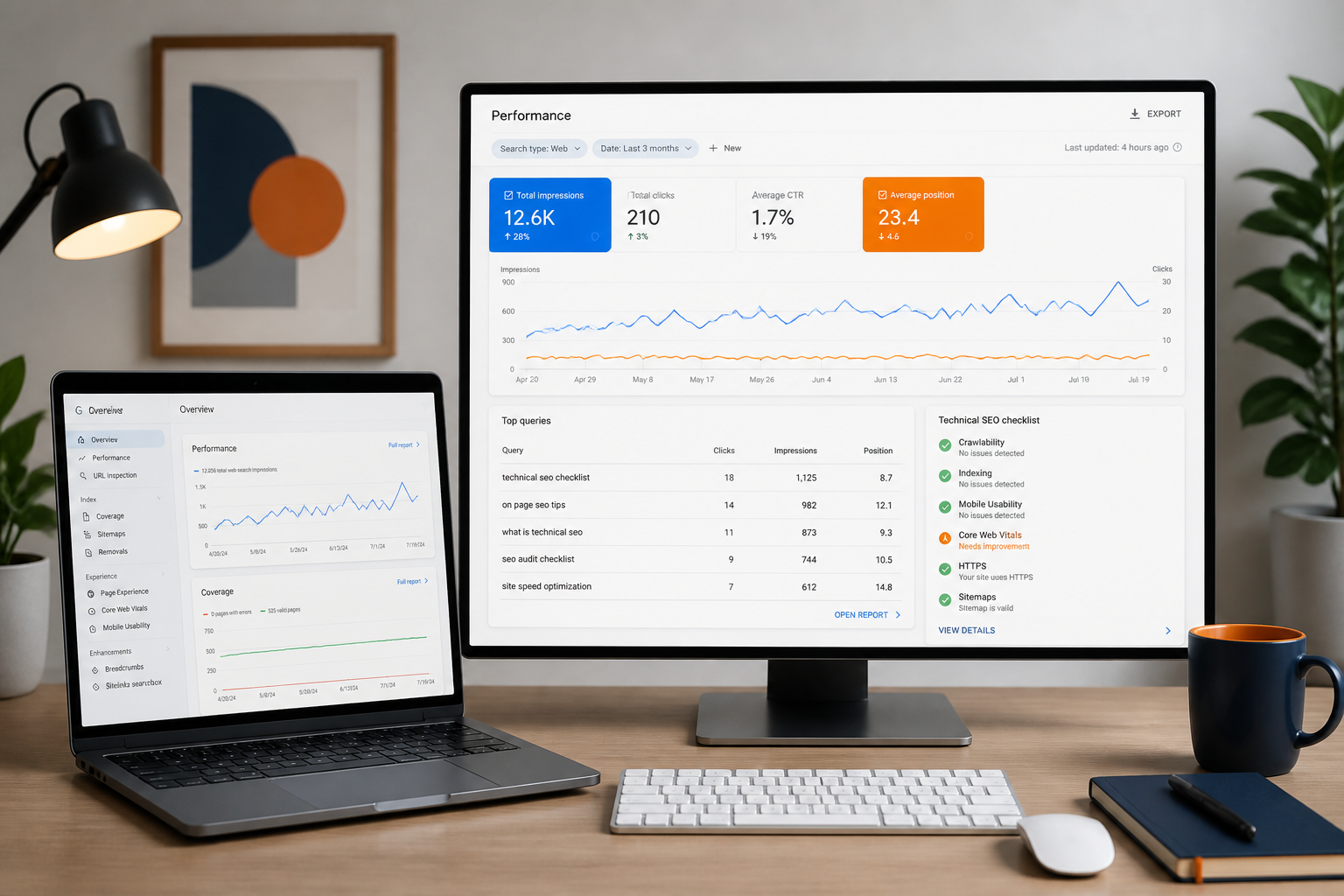
Google Search Console should be the first place to start with because it shows how Google Search performance changed. Do not start with random assumptions, always start with data.
Go to Performance → Search Results and review the number of clicks, impressions, CTR, average position, queries, pages, countries, devices, and search appearance. Compare the numbers before and after the update.
Check query-level drops
Review which queries lost impressions, clicks, average position, or CTR. This can indicate issues with ranking, title tags, search intent, or visibility.
Check page-level drops
Go to the Pages tab and review which URLs lost the most traffic. Group them by page type: homepage, service pages, location pages, blog posts, category pages, product pages, industry pages, and landing pages.
What this means
- If blog posts lost traffic, the issue may be with content quality or informational intent
- If service pages lost traffic, the issue may be with commercial intent, authority, or backlinks
- If location pages lost traffic, the issue may be with doorway content or local SEO
- If product or category pages lost traffic, the issue may be with thin content, duplicate content, or internal linking
Impressions vs. clicks
It is important to review impressions and clicks on a page. If impressions decreased, it means that Google is showing your page less often. If impressions are stable but clicks dropped, it means that users are not clicking on your page due to title tags, meta descriptions, or competition.
Review Your Content Quality
Spam updates often target websites with low-quality content. That does not necessarily mean that the content is spammy, but rather that it is not useful, does not provide value, or is similar to other pages on the website.
What is low-quality content?
- Very short pages with little information
- Pages created for keyword optimisation only
- Generic service pages with no details
- AI content with no editing or quality control
- Duplicate content across many city pages
- Blog posts that do not answer questions
- Product pages that copy manufacturers' content
- Pages with no clear call to action
- Content that is similar to competitors
- Content with no proof, examples, or process
What is high-quality content?
- Clear value proposition for the target audience
- Answers to frequently asked questions
- Specific service details
- Industry or location relevance
- Proof, examples, or process (where relevant)
- Clear call to action
- Strong internal linking
- Helpful FAQs
- Original insight or practical advice
Example
A page optimised for "SEO services for dentists" should not just say "we improve rankings for dental clinics". A stronger page would explain what treatment keywords are important for the practice, how Google Maps affects patient acquisition, why dental implant and Invisalign pages should be optimised differently, how reviews impact trust, what the practice delivers in the first 90 days, and how SEO fits into the patient journey. That is useful content that our /blog/content-marketing-for-seo guide can help you create at scale.
Check Thin, Duplicate Or Doorway Pages
Another common reason for spam update penalties is thin, duplicate, or doorway pages. Thin pages are usually short and do not provide much information. Duplicate pages appear multiple times in search results and have similar content. Doorway pages are designed to rank for multiple similar queries but do not provide much value.
Thin pages include:
- Short service pages
- Generic location pages
- Thin product pages
- Duplicate content across many city pages
- Pages with no unique value proposition
Duplicate pages include:
- Multiple pages optimised for the same query
- Near-identical content across location pages
- Thin product variations with the same description
- Repeated blog posts on the same topic
- Old content that should have been deleted
Doorway pages include:
- SEO services city pages (e.g., SEO in Chicago, SEO in Houston)
- Plumbing pages for 50+ locations with similar content
- Dental location pages with no local information
- Real estate pages with repeated suburb content
- Attorney pages with the same content for different practice areas
How to fix thin, duplicate, or doorway pages:
- Improve thin pages by adding more value
- Merge similar pages into one
- Add local or industry-specific details
- Fix internal linking and add FAQs
- Remove pages with no value
- Noindex pages that should not appear in search
- Delete doorway pages
- Avoid creating too many similar pages
Review Your Backlink Profile
Backlinks are an important ranking factor, so spam updates often target websites with low-quality backlinks. If your SEO strategy included low-quality link-building tactics, it is time to review your backlink profile.
Common backlink issues after a spam update include:
- Irrelevant referring domains
- Spammy directories
- Link farms
- Low-traffic websites
- Exact-match anchor text
- Hacked websites
- Low-quality guest posts
- Paid links with no value
- Spammy link-building campaigns
- Links to money pages only
What is a good backlink profile?
- Relevant referring domains
- Directories and citations
- Local directory mentions
- Guest features from relevant websites
- Digital PR mentions
- Niche publication links
- Case study mentions
- Resource page links
Should you disavow backlinks?
It is not always necessary to disavow backlinks after a spam update. Google often ignores spammy links, so it is usually a good idea to start with a spam update diagnosis before taking any action. If the issue is with irrelevant referring domains or spammy directories, you can use Google's Disavow Links tool. For a comprehensive backlink review, turn to our /services/link-building service.
Audit Over-Optimised SEO Tactics
Sometimes websites get penalised for being too SEO-friendly. Google does not penalise websites for being optimised, but it does penalise websites that use manipulative tactics. Pages that are over-optimised often look spammy to Google.
Signs of over-optimisation include:
- Exact-match keyword repetition
- Unnatural city name insertion
- Footer spam (unnatural location links)
- Internal linking with the same anchor text
- Blog posts optimised for keywords only
- Pages created for every keyword variation
- Meta titles that look spammy
- Repetitive heading tags
- Links built with the same anchor text
- Fake reviews or unsubstantiated claims
Better SEO practices:
- Natural keyword usage throughout the page
- Clear value proposition and service details
- Strong internal linking with varied anchor text
- Avoiding keyword stuffing in headings and titles
- Using real reviews and substantiating claims
What Google wants
What Google wants is relevance and value. It does not want pages optimised for keywords only. Google wants websites to provide value to users and help them make informed decisions.
Check Technical SEO And Indexing Issues
A spam update is not the only reason why your website's rankings could drop. Sometimes the update is used as an excuse for other technical SEO issues. It is important to review technical SEO and indexing after a spam update to rule out other causes.
Common technical SEO issues include:
- Accidental noindex tags
- Robots.txt issues
- Incorrect canonical tags
- Redirect issues and 404 errors
- Sitemap issues
- Duplicate URLs
- Slow mobile performance
- Core Web Vitals issues
- JavaScript rendering issues
- Broken internal linking
- Orphan pages
- Pagination issues
- Thin indexed pages
- Schema markup errors
Indexing checks:
In Google Search Console, look at pages indexed, pages discovered but not indexed, pages crawled but currently not indexed, pages blocked by robots.txt, alternate page with proper canonical tag, duplicate without user-selected canonical, not-found 404 pages, and redirect errors. If Google cannot crawl or index your best pages, it will be difficult to recover from a spam update. For a deeper technical SEO diagnosis, turn to our /blog/technical-seo-audit-guide.
Review AI-Generated Content Carefully
AI content is not a problem if it is useful, informative, and provides value. However, many websites use AI content to generate generic articles with little or no value. Spam updates often target websites with low-quality AI content.
Issues with AI content:
- Generic introductory paragraphs
- Paragraphs that are the same on every page
- No unique examples or use cases
- No experience or expertise mentioned
- No editing or quality control
- No useful structure or organisation
- No clear audience or value proposition
- No calls to action or conversion points
- Same content used for multiple cities or industries
How to improve AI content:
- Add real experience and specific use cases
- Add unique FAQs and industry-specific detail
- Edit the content for quality and coherence
- Remove generic fluff and improve organisation
- Add internal linking and calls to action
What To Do If Traffic Dropped
If your traffic dropped significantly after the June 2026 update, it is time to follow a spam update recovery plan. Spam update diagnosis is not usually a quick process and should not be rushed.
Step 1: Confirm the drop
Check Google Search Console, GA4 organic traffic, rank tracking, lead tracking, and Google Business Profile performance to confirm the drop.
Step 2: Identify affected pages
Identify which pages are affected by the update. It is unlikely that all of your pages are impacted.
Step 3: Group pages by type
Group the affected pages into blogs, service pages, location pages, product pages, category pages, industry pages, and landing pages.
Step 4: Review content quality, links, and technical SEO
Review the content quality, backlinks, and technical SEO of the affected pages. Make sure that they are not spammy, thin, or doorway pages. Check for issues with crawlability, indexability, and site speed.
Step 5: Improve high-impact pages first
Focus on improving the pages that have the highest business impact first. These are usually the pages that drive calls, quotes, sales, or other conversions.
What Not To Do After A Spam Update
Websites that recover poorly from spam updates often make the following mistakes:
- Deleting pages without review
- Rewriting the entire website too quickly
- Buying low-quality backlinks to recover faster
- Changing title tags and meta descriptions at scale
- Creating too many AI blog posts
- Creating more location pages without value
- Disavowing backlinks without analysis
- Blaming one update for all issues
- Ignoring conversion data and focusing only on rankings
- Copying content from competitors
- Keyword stuffing pages
- Removing valuable content because traffic dropped
A better approach
A better approach would be to make gradual changes, follow a spam update diagnosis, and improve page quality and technical SEO before making any major changes.
90-Day Spam Update Recovery Plan
If your website was affected by the Google June 2026 spam update, here is a 90-day recovery plan to help you recover:
Days 1–15: Diagnose the issue
- Check Google Search Console
- Compare traffic before and after the update
- Identify the most affected pages and queries
- Check indexing and manual actions
- Review GA4 traffic and Google Business Profile performance
- Make sure there are no technical issues
Days 16–30: Fix technical and on-page issues
- Fix noindex and canonical issues
- Fix broken links and redirects
- Improve title tags and meta descriptions
- Fix heading tags and internal linking
- Remove or improve thin pages
- Update old content and CTAs
Days 31–60: Improve content quality
- Rewrite thin service pages
- Add FAQs to service and product pages
- Improve location pages with unique value
- Add proof, process, and examples to relevant pages
- Merge duplicate content
- Improve product and category pages
- Add industry-specific detail and remove generic AI content
Days 61–90: Build authority and trust
- Review backlink profile
- Build relevant authority links
- Improve local citations
- Add case studies and trust signals
- Improve author and team pages
- Publish supporting content and strengthen topical clusters
- Track ranking, traffic, and conversion improvements
Google Spam Update SEO Checklist
Here is a spam update SEO checklist that you can use to review your website:
Google Search Console
- Check clicks, impressions, average position, and CTR
- Check query-level drops and page drops
- Check indexing reports and manual actions
- Check sitemap and robots.txt
Content quality
- Review thin pages, doorway pages, and AI content
- Improve service, product, category, and location pages
- Add FAQs and original examples
Backlinks
- Check referring domains and anchor text
- Review spammy directories and irrelevant links
- Check link velocity
- Compare to competitors' backlinks
- Build better relevant links
Technical SEO
- Check noindex, canonical, robots.txt, and sitemaps
- Fix 404 errors and redirects
- Improve mobile usability and Core Web Vitals
- Fix internal linking and schema markup
Google Spam Update Recovery Services
If you need help with spam update recovery, here are some services to consider:
- Spam update diagnosis and SEO audit
- Content quality and technical SEO review
- Backlink profile analysis
- On-page and technical SEO improvements
- Link-building and authority-building campaign
- Local SEO and Google Business Profile optimisation
- Conversion rate optimisation and CRO audit
User experience & conversion
- Review page speed and CTAs
- Make contact options clear
- Add trust signals and mobile improvements
- Add reviews where relevant
- Make forms easy to use and check enquiry tracking
Local SEO
- Review Google Business Profile categories and services
- Check citations, reviews and NAP consistency
- Check local pages and Google Maps visibility — see /google-map-seo for detail
Final Thoughts
The Google June 2026 spam update is not a reason to panic, but rather an invitation to reassess your SEO fundamentals.
Should your website have been impacted by the updates, the solution is not quick tricks but addressing the factors that contributed to the drop in ratings and visibility. That could include content, technical, UX, authority or other elements.
Quality SEO work is not about shortcuts and ever-increasing volumes of content and backlinks. It is about building informative websites that address the users' needs, questions and concerns, deliver value, build trust, have strong technical fundamentals and utilise SEO to its maximum to get found by those who need you. If your website was impacted by the Google June 2026 spam update, take action. Firstly, analyse the situation and check what traffic-driving pages were impacted. Secondly, work on improving the performance of these pages, thus addressing the issues identified. The ultimate aim is to deliver a strong digital asset that can consistently earn rankings, traffic, leads, enquiries and revenue. Learn how similar websites have recovered from algorithm updates by looking at our /case-studies and see what our clients say about 4Core Digital SEO at /reviews.