
Quick Answer: Are 404 Errors Bad For SEO?
404 errors are not always bad for SEO. A 404 is normal when a page genuinely does not exist and has no useful replacement. But 404 errors can become an SEO problem when important pages are accidentally removed, internal links point to broken URLs, high-value backlinks point to missing pages, deleted pages still appear in the XML sitemap, or users land on broken pages that should have been redirected.
The right fix depends on the situation. Some URLs should remain 404. Some should return 410. Some should be redirected with a 301 to a relevant replacement page. Soft 404s should usually be fixed because they can confuse users and search engines.
| Situation | Best SEO Action |
|---|---|
| Page never existed and has no value | Keep proper 404 |
| Page permanently removed with no replacement | Use 404 or 410 |
| Page moved to a new URL | Use 301 redirect |
| Page has backlinks or traffic | Redirect to the closest relevant page |
| Page appears in sitemap but no longer exists | Remove from sitemap |
| Internal links point to broken URL | Update internal links |
| Page returns 200 but says “not found” | Fix soft 404 |
| Deleted product has similar replacement | Redirect to relevant product/category |
| Deleted product has no replacement | Use 404/410 with helpful UX |
| Old campaign URL has links | Redirect to relevant live page |
What Is A 404 Error Code?
A 404 error code is an HTTP status code that tells browsers and search engines the requested page was not found on the server. In simple words, the URL exists as a request, but the page does not exist at that location.
A user may see a 404 page when they click an old link, type the wrong URL, open a deleted blog post, visit an outdated product page, or land on a page that was removed during a website redesign.
A 404 error may happen when:
- a blog post is deleted
- a product is removed
- a service page URL changes
- a page slug is edited
- a website migration misses redirects
- an old WordPress URL remains indexed
- a sitemap includes deleted URLs
- an internal link points to the wrong page
- another website links to an old URL
- a user types an incorrect URL manually
What Is The Difference Between 404, 410, 301 And Soft 404?
Before fixing 404 errors, it is important to understand the difference between common URL status signals.
| Status / Issue | Meaning | SEO Use |
|---|---|---|
| 404 Not Found | Page is not available at this URL | Use when the page does not exist and has no relevant replacement |
| 410 Gone | Page is permanently removed | Use when you want to clearly signal the content is gone |
| 301 Redirect | Page has permanently moved | Use when there is a relevant replacement URL |
| 302 Redirect | Page is temporarily moved | Use for temporary changes, not permanent migrations |
| Soft 404 | Page appears missing but returns 200 OK or redirects incorrectly | Fix because it can confuse users and search engines |
| 200 OK | Page exists and loads successfully | Use only when the page has real useful content |
When Are 404 Errors Normal?
404 errors are a normal part of the web. Not every missing page needs a redirect. If a URL never had useful content, never received traffic, has no backlinks, is not linked internally and has no relevant replacement, a proper 404 can be completely fine.
Examples of normal 404s include:
- random spam URLs
- mistyped URLs
- deleted test pages
- old temporary campaign URLs with no value
- auto-generated URLs that should not exist
- outdated pages with no replacement
- very old content that is no longer useful
- URLs created by bots or scanners
When Do 404 Errors Hurt SEO?
404 errors can hurt SEO performance indirectly when they affect important URLs, crawl paths, user experience, backlinks or website structure.
Important Pages Were Deleted By Mistake
If a service page, product page, category page, location page or blog post had rankings or traffic, deleting it without a redirect can cause visibility loss.
Internal Links Point To Broken URLs
Broken internal links waste user clicks and make it harder for search engines to understand your site structure.
Backlinks Point To 404 Pages
If other websites link to a missing URL, you may lose potential authority unless that URL is redirected to a relevant replacement.
404 URLs Are In The XML Sitemap
A sitemap should include live, canonical, indexable URLs. Including 404s sends mixed signals.
Website Migration Missed Redirects
After redesigns, platform changes or URL changes, old URLs often break if no redirect map is created.
Users Hit Broken Pages During The Buying Journey
A user who clicks a broken product, service, checkout, booking or contact page may leave without converting.
Soft 404s Are Created
A soft 404 can confuse search engines because the page appears technically successful but does not contain useful content.
Common Causes Of 404 Errors
404 errors can appear for many reasons. Some are caused by normal website changes. Others happen because of poor planning during redesigns, migrations or content cleanup.
Deleted Pages
A page was removed without checking traffic, rankings, backlinks or internal links.
Changed URLs
A slug or URL structure changed, but no redirect was added.
Website Redesign
Old pages were not mapped to new pages during the redesign process.
Platform Migration
A website moved from WordPress, Shopify, Wix, Squarespace or a custom CMS and old URLs were lost.
Broken Internal Links
Menus, buttons, blog links, footer links or old content still point to missing pages.
Product Removal
An out-of-stock or discontinued product page was deleted without an SEO plan.
Old Sitemap URLs
The XML sitemap still lists deleted or redirected URLs.
Case-Sensitive URLs
Uppercase and lowercase versions create mismatches on some servers.
Tracking Or Parameter URLs
Old query strings or tracking URLs create unnecessary crawl errors.
External Websites Link To Old Pages
Backlinks from other websites point to URLs that no longer exist.
How 404 Errors Appear In Google Search Console
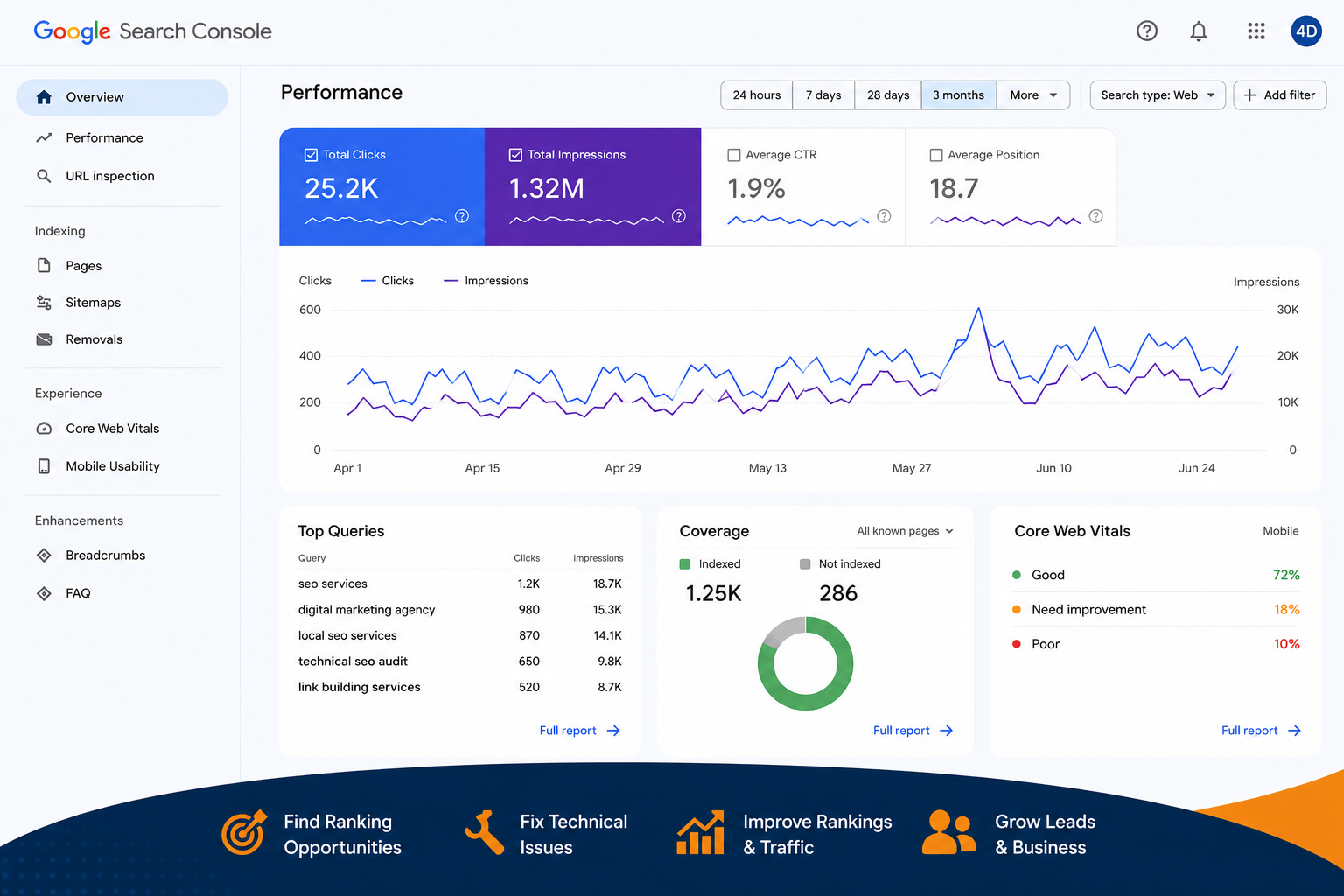
Google Search Console can show 404-related issues in indexing and page reports. These reports help you understand which URLs Google tried to crawl and what response it received.
You may see messages such as:
- Not found 404
- Soft 404
- Page with redirect
- Crawled but not indexed
- Discovered but not indexed
- Alternate page with proper canonical tag
- Duplicate without user-selected canonical
- Submitted URL not found 404
- Submitted URL seems to be a soft 404
How To Review A 404 In GSC
When reviewing a 404 in Google Search Console, check:
- Was this URL submitted in the sitemap?
- Does the URL have backlinks?
- Did the URL receive organic traffic?
- Is the URL linked internally?
- Is there a relevant replacement page?
- Was it part of a migration?
- Is it a deleted product or blog?
- Should it be 301 redirected?
- Should it stay 404?
- Should it return 410?
Why Soft 404 Errors Are A Bigger Problem
A soft 404 happens when a page looks like it is missing but does not return a proper 404 or 410 status code. For example, a missing page may return a 200 OK response, or all broken URLs may redirect to the homepage even when the homepage is not a relevant replacement.
Soft 404s can be more confusing than normal 404s because the server is telling search engines the page exists, but the content tells users the page does not exist or offers no useful replacement.
Soft 404 examples include:
- a deleted page returns 200 OK with “page not found” text
- every broken URL redirects to the homepage
- a thin page says “no products found” but returns 200
- an empty category page is indexable
- a search result page has no results but is indexable
- a location page has almost no content and looks like a placeholder
- a product page says unavailable with no useful alternatives
Should You Redirect Every 404 Page?
No. Redirecting every 404 page is one of the most common technical SEO mistakes. A redirect should only be used when there is a relevant replacement page that helps the user.
Bad example
Redirecting every deleted product, old blog, removed service and random broken URL to the homepage.
Better examples
- old service page → new matching service page
- old product page → similar product or category page
- old blog post → updated blog post on the same topic
- old location page → new equivalent location page
- old campaign page → relevant service or landing page
- old category page → new category page
How To Decide Whether To Redirect, Keep 404 Or Use 410
A good 404 SEO cleanup starts with decision-making. Every broken URL should be reviewed based on value, relevance and replacement options.
| URL Situation | Recommended Action |
|---|---|
| URL has relevant replacement | 301 redirect |
| URL has backlinks and relevant replacement | 301 redirect |
| URL has traffic and relevant replacement | 301 redirect |
| URL was removed permanently with no replacement | 404 or 410 |
| URL appears in sitemap but should not exist | Remove from sitemap |
| URL is linked internally | Update the internal link |
| URL is random spam or bot-generated | Keep proper 404 |
| URL is a deleted product with similar category | Redirect to relevant category |
| URL is a deleted blog with updated article | Redirect to updated article |
| URL returns 200 but has no content | Fix soft 404 |
| URL should exist but is broken | Restore page or fix URL |
How 404 Error Code SEO Services Work
404 error code SEO services are part of technical SEO. The goal is to find broken URLs, understand why they exist, decide which URLs matter, fix internal links, clean sitemaps, recover lost authority where possible and create a better user journey. Learn more about our full technical SEO service at /services/technical-seo, single page SEO at /services/single-page-seo and affordable SEO optimization at /services/affordable-seo-optimization.
404 Error Audit
We crawl your website and review Google Search Console to find 404 errors, soft 404s, broken links, sitemap issues and redirect gaps.
URL Value Review
We check whether broken URLs have traffic, backlinks, internal links, rankings, sitemap inclusion or business value.
Redirect Mapping
We create a redirect plan that maps valuable broken URLs to the most relevant live pages.
Internal Link Cleanup
We update links inside menus, footers, blogs, service pages, buttons and CTAs that point to broken URLs.
Sitemap Cleanup
We remove 404, redirected, noindex or duplicate URLs from the XML sitemap.
Soft 404 Fixes
We identify pages that return 200 or redirect incorrectly while acting like missing pages.
Broken Backlink Recovery
We find external backlinks pointing to 404 pages and redirect them to useful relevant pages where appropriate.
Custom 404 Page Review
We improve the 404 user experience with helpful navigation, search, service links, blog links and contact options.
Migration Recovery
We review missed redirects after website redesigns, domain changes, CMS migrations or URL structure changes.
Technical SEO Reporting
We provide a clear summary of what was found, what was fixed and what should be monitored next.
Step-By-Step 404 Error SEO Audit Process
A proper 404 SEO audit should go deeper than simply exporting a list of broken URLs. It should identify cause, value, fix type and priority.
Step 1: Crawl The Website
Use a crawler to find broken internal links, 404 pages, redirected URLs, orphan pages and sitemap issues.
Step 2: Review Google Search Console
Check indexing reports, crawl errors, soft 404 warnings and submitted URLs that return 404.
Step 3: Check XML Sitemap
Make sure the sitemap includes only live, indexable, canonical 200-status pages.
Step 4: Check Internal Links
Find menus, buttons, blog posts, images, CTAs and footer links pointing to broken URLs.
Step 5: Check Backlinks
Review whether external websites are linking to missing pages.
Step 6: Check Traffic And Rankings
Use analytics and SEO tools to see whether the broken URLs had traffic, rankings or impressions.
Step 7: Decide The Correct Fix
Choose whether each URL should be redirected, restored, kept as 404, changed to 410 or removed from sitemap.
Step 8: Implement Redirects And Fixes
Add relevant 301 redirects, fix internal links, restore pages where needed and remove bad sitemap entries.
Step 9: Test Status Codes
Confirm that URLs return the correct response codes and redirect to final clean URLs without chains.
Step 10: Monitor After Fixes
Monitor Google Search Console, crawl reports, rankings, traffic and user experience after cleanup.
404 Errors After Website Redesigns And Migrations
Website redesigns and migrations are one of the most common causes of 404 errors. When URLs change and old pages are not redirected properly, rankings, traffic and backlinks can be lost. See our companion guide on SEO for new websites at /blog/seo-for-new-websites for launch-day best practices.
404 errors often happen after:
- WordPress redesigns
- Shopify migrations
- Wix or Squarespace rebuilds
- domain changes
- HTTP to HTTPS migrations
- URL structure changes
- category restructuring
- blog slug changes
- deleting old landing pages
- moving from custom CMS to another platform
Migration 404 prevention checklist
- export old URLs before launch
- review top organic landing pages
- review pages with backlinks
- map old URLs to new URLs
- avoid redirecting everything to homepage
- test redirects before launch
- update internal links
- update sitemap
- check canonical tags
- monitor Search Console after launch
404 Errors For eCommerce Websites
eCommerce websites often have many 404 errors because products change, collections are updated, categories are renamed and old sale pages expire. The key is to handle deleted product and category URLs carefully. See our /services/ecommerce-seo and /services/shopify-seo services, plus the deeper guide at /blog/ecommerce-category-page-seo.
Deleted Product With Similar Replacement
Redirect to the closest matching product if the replacement is genuinely relevant.
Deleted Product With No Replacement
Use a helpful 404 or 410, and guide users to related categories or popular products.
Out-Of-Stock Product
Do not automatically delete the page. Consider keeping the page live if the product may return.
Deleted Category Page
Redirect to a relevant parent category, updated category or related collection.
Seasonal Collection
If it returns every year, consider keeping or reusing the page instead of deleting it.
Filter URLs
Avoid indexing useless filter combinations that create duplicate or thin pages.
404 Errors, Broken Backlinks And Lost Authority
One of the most valuable parts of a 404 SEO audit is finding backlinks that point to broken URLs. If another website links to a page that no longer exists, users may land on a dead page and the link value may not support the best live page.
When a broken URL has good backlinks, you should usually redirect it to the closest relevant live page. This helps users land somewhere useful and can help preserve value from old links.
Examples:
- old blog with backlinks → updated blog on same topic
- old service page with backlinks → current service page
- old product with backlinks → similar product or category
- old case study with backlinks → updated case study or /case-studies hub
- old PDF with backlinks → live resource page or relevant article
How To Build A Helpful Custom 404 Page
A custom 404 page does not fix the missing URL by itself, but it can improve user experience. If someone lands on a broken page, the custom 404 page should help them continue instead of leaving the website.
A helpful 404 page can include:
- clear “Page Not Found” message
- link to homepage
- link to main services and /organic-seo
- link to blog
- link to /case-studies
- link to /contact
- search bar if available
- popular resources
- friendly tone
- simple design
- no confusing redirect loops
- proper 404 status code
Common 404 SEO Mistakes To Avoid
Redirecting Every 404 To The Homepage
This creates poor user experience and may not solve the SEO issue.
Leaving 404 URLs In The Sitemap
Your sitemap should include clean, live, indexable URLs only.
Ignoring Backlinks To Broken URLs
You may miss opportunities to recover value from old links.
Ignoring Internal Broken Links
Internal broken links hurt user experience and waste crawl paths.
Creating Soft 404s
Returning 200 OK for missing pages can confuse search engines.
Deleting Product Pages Too Quickly
For eCommerce, product removal should be handled carefully.
Not Testing Redirects
Redirects should be checked for status code, destination relevance and redirect chains.
Fixing Only What Tools Show
Tools show symptoms. You still need to understand why URLs are broken and whether they matter.
Using 302 Redirects For Permanent Moves
If a page has permanently moved, use a 301 redirect.
Not Monitoring After Migration
Most migration-related 404 issues appear after launch, so monitoring is essential.
90-Day Technical SEO Cleanup Plan
If your website has many 404 errors, do not panic. A structured cleanup plan can help you fix the most important issues first.
Days 1–30: Audit And Prioritization
- crawl the website
- export 404 URLs
- review Google Search Console
- check XML sitemap
- check internal links
- check backlink data
- identify soft 404s
- identify high-value broken URLs
- group URLs by fix type
Days 31–60: Fix Priority Issues
- add relevant 301 redirects
- update internal links
- remove 404 URLs from sitemap
- fix broken menu/footer links
- restore important pages if needed
- fix soft 404s
- clean redirect chains
- test final status codes
Days 61–90: Monitor And Improve
- monitor Search Console validation
- recrawl the site
- check rankings and traffic
- review broken backlinks
- improve custom 404 page
- update technical SEO documentation
- prevent future 404 issues
- repeat crawl checks monthly
404 Error SEO Checklist
Before fixing a 404 error, check:
- Does the URL have traffic?
- Does the URL have backlinks?
- Does the URL rank for any keyword?
- Is it linked internally?
- Is it in the XML sitemap?
- Does it have a relevant replacement?
- Was it part of a migration?
- Was it a product, service, blog or category page?
- Should it be restored?
- Should it be redirected?
- Should it stay 404?
- Should it return 410?
- Is it a soft 404?
- Does the redirect destination match user intent?
- Are there redirect chains?
- Does the final URL return 200?
- Is the internal link updated?
- Has the sitemap been cleaned?
- Has Search Console been monitored after the fix?
Final Thoughts
404 errors are not automatically bad for SEO. They are a normal part of website management. The real issue is whether important URLs are broken, whether users are landing on dead pages, whether backlinks point to missing content, whether Google is crawling useless URLs and whether soft 404s are creating confusion.
The best approach is simple: audit the URLs, understand their value, choose the right fix and monitor the results. Some URLs should redirect. Some should stay 404. Some should return 410. Some should be restored. Some should be removed from the sitemap. And soft 404s should be corrected properly.
If your website has 404 errors in Google Search Console, SEMrush, Ahrefs or Screaming Frog, the next step is not to blindly redirect everything. The next step is a proper technical SEO review — explore /services/technical-seo, /organic-seo or /services/single-page-seo to see how 4Core Digital can help.